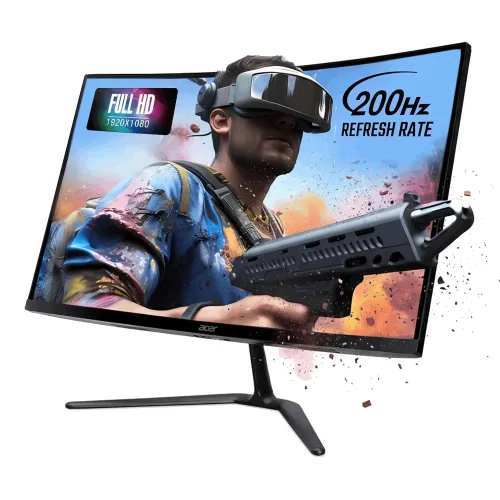
Acer Nitro ED270 X0 27-Inch 200Hz FHD Curved Gaming Monitor: Buyer Guide for Bangladesh
The Acer Nitro ED270 X0 is a 27-inch Full HD curved gaming monitor aimed at buyers who want a high refresh rate and a more immersive desktop view without moving to a higher-resolution gaming setup. The product record identifies it as a VA monitor with a 1500R curve, 1920 × 1080 resolution, a listed 200Hz refresh rate, AMD FreeSync Premium and Acer VisionCare features. The current Bangladesh distributor page lists the same core model and three-year warranty. This guide explains what those specifications mean in practice and flags the details where available listings disagree. The retail record currently shows ৳23,500; the product price, identity and URL have been retained during this content update.
27-inch Full HD panel and 1500R curve
A 27-inch screen gives games, video and desktop applications a generous viewing area. Its 1920 × 1080 resolution contains about 2.07 million pixels in a 16:9 layout. Compared with QHD at the same size, Full HD asks less of the graphics card and can make it easier to sustain high frame rates, but text edges and fine details are less dense at close viewing distances. Buyers who spend much of the day reading small text may prefer a higher pixel density or should plan to position the monitor farther back. The panel is a VA-type LCD with LED backlighting and an anti-glare surface. Acer and the Bangladesh distributor identify a 1500R curve. The number describes the approximate radius of the arc in millimetres; it is a physical viewing characteristic, not a resolution or refresh specification. A centered seat usually makes the curvature feel most consistent from edge to edge. The ZeroFrame design keeps the bezels visually restrained, which can help a multi-screen desk look more continuous, though two curved panels still need careful alignment.
200Hz refresh rate and VRB response mode
Acer’s exact South Asian store reference UM.HE0SI.001 lists a standard refresh rate of 200Hz, and Smart Bangladesh’s detailed product page also identifies 200Hz at 1920 × 1080 on HDMI and DisplayPort. A 200Hz refresh can show a new frame every five milliseconds when the computer supplies those frames. To benefit, select the highest available refresh rate in the operating system or graphics control panel and use a compatible cable and port. Game frame rate, GPU performance and the selected connection all matter. There is a source conflict to keep in mind: Acer India’s marketing bullets include both 180Hz and 200Hz language, though the page title and technical standard-rate field say 200Hz. Some retailer summary tables also differ on the number of HDMI inputs. This product uses the 200Hz value from the product header/specification and local distributor detail, with the inconsistency disclosed here instead of claiming that every regional package is identical. Acer lists 1ms VRB (Visual Response Boost). That figure names a monitor motion mode; it should not be interpreted as a universal grey-to-grey transition result or total system input latency. Motion clarity settings can trade brightness or appearance for reduced blur, so compare the available OSD settings using the games and refresh rate you actually use.
VA contrast, color and HDR10 expectations
The VA panel type is commonly chosen for its dark-scene presentation and deeper blacks than many conventional IPS panels. Acer’s reference page lists 250-nit brightness, 99% sRGB color coverage, 16.7 million colors and HDR10 support. Smart Bangladesh repeats the 250-nit, 99% sRGB and color-depth figures. Those specifications support everyday gaming, streaming and general desktop color. They do not certify a factory-calibrated workflow, and a wide gamut figure alone cannot guarantee color accuracy. The local distributor’s detailed sheet quotes a 100-million-to-one Adaptive Contrast Management (ACM) dynamic contrast figure, but does not provide a confirmed static contrast figure for this exact local retail unit. Dynamic contrast is not the same as simultaneous native panel contrast, so this listing avoids presenting ACM as a native static measurement. HDR10 means compatible HDR signals can be accepted; at the listed 250 nits and without verified local dimming, buyers should not expect the highlight intensity of a high-brightness HDR display. The matte ComfyView surface and 178-degree listed viewing angles are useful for a desk in ordinary indoor lighting, while direct sunlight or a very bright window may exceed the monitor’s comfortable brightness range.
Variable refresh, ports and sound
AMD FreeSync Premium is listed for this model. When supported by the graphics device, driver, monitor input and settings, variable refresh can reduce tearing and uneven frame pacing as frame rates move around. Acer India’s product page and Smart Bangladesh’s detailed specification identify two HDMI 2.0 inputs and one DisplayPort 1.4 input. Smart’s headline summary and several seller quick cards shorten that to one HDMI and one DP; Acer’s India product page lists two HDMI ports, and its package description includes HDMI and DP cables. Confirm the rear connectors on the exact regional unit if connecting several devices at once or buying a specialized cable. Smart Bangladesh’s detailed specification states the maximum Full HD rate as 200Hz over both HDMI and DP. The evidence for built-in speakers is less consistent: Smart’s detailed sheet says “N/A”, while some retailer cards advertise speakers. The catalog therefore does not promise internal audio. Ask the seller to confirm speaker hardware on the delivered part number, and plan to use headphones or separate speakers if audio is important. The product listings also identify an audio jack, but check whether the exact SKU routes audio through that connector as expected.
Stand, VESA mounting, dimensions and power
The supplied stand is tilt-only, listed at approximately -5° to +20°, and does not provide height, swivel or pivot adjustment. Acer-family and Bangladesh listings identify a 75 × 75mm VESA mount, which gives owners the option of a compatible monitor arm or wall bracket. Check screw depth, mounting instructions and the arm’s weight rating before installation. Acer India’s UM.HE0SI.001 page lists dimensions of approximately 61.1cm wide, 44.6cm high and 19.6cm deep with the stand, and an approximate weight of 3.9kg. Some Bangladesh retailer pages list 45.6cm height and 19.9cm depth instead. This slight dimensional disagreement may reflect rounding or a regional listing; measure desk clearance against the actual unit. The reviewed Acer and local pages identify an external power adapter and 100–240V input. A product guide should avoid claiming exact typical or maximum wattage because the exact local distributor page reviewed did not establish those values. The official India page says the package includes the monitor, stand, power cord, manual, HDMI cable and DisplayPort cable; package contents can vary by market, so use the delivered box as final confirmation.
Bangladesh price and warranty checklist
At the time the referenced pages were checked, Skyland showed ৳23,400, Smart Bangladesh showed ৳24,000 and other retailer results clustered around ৳23,500–৳24,500. These are snapshots that can change with stock, discounts and import batches. The existing BiponiBD variant MSRP of ৳23,500 remains unchanged. The Bangladesh distributor and retailer pages state a three-year warranty, but the seller invoice, serial number, regional part number and warranty provider determine eligibility. Before ordering, confirm the exact Acer part number on the carton, whether the delivered unit has speakers, the rear HDMI/DP count, included cables, warranty provider and return terms. The ED270 X0 makes most sense for a player who prioritizes a curved 27-inch workspace and high-refresh Full HD performance. If sharp text, height-adjustable ergonomics, verified internal speakers or brighter HDR matter more, compare alternatives before choosing.