Pros
- Wireless link keeps a mouse cable off the desk
- 1200 DPI optical sensor covers basic pointer and document tasks
- Compact body may suit a smaller desk or laptop bag
- Common AA battery can be replaced when depleted

All categories
 New condition
Computer Accessories
ASUS · WT200 Wireless Optical Mouse #BMU030
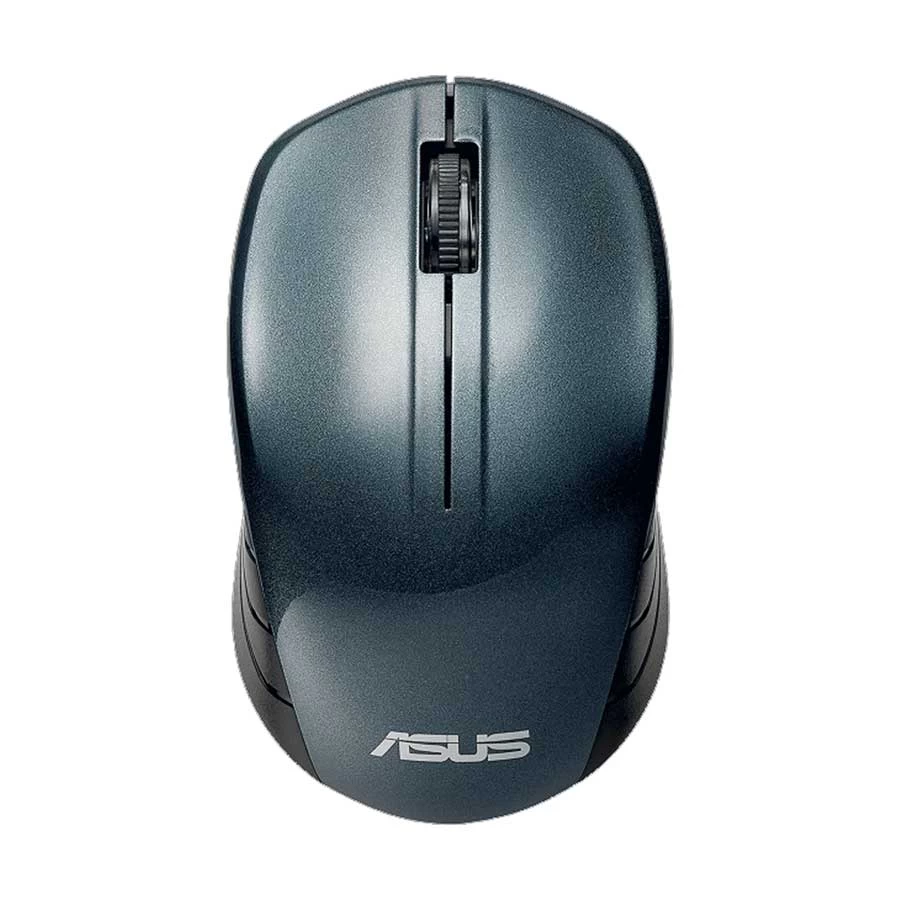
ASUS WT200 blue wireless optical mouse with 2.4GHz USB receiver, 1200 DPI tracking and one AA battery for everyday computer navigation.
Price unavailable
Price range updating
No verified price is available yet. Store offers will appear when merchants publish them.
Compare store prices
No live offers for this variant
Offers will appear when merchants publish them.
Loading history…
Product story
The ASUS WT200 is a blue wireless optical mouse intended for routine pointer work with a compatible computer. ASUS lists a 2.4GHz RF connection, so it uses a small USB receiver rather than Bluetooth pairing. The existing gallery shows the blue mouse from the top, several angles and its underside; one image also shows the receiver. Its compact body can be useful at a laptop desk or where a large mouse would occupy too much space, but grip comfort depends on individual hand size. The local listing uses the BMU030 suffix. ASUS publishes different regional part numbers, so check the exact box and part number being supplied rather than assuming that another country's bundle is identical.
ASUS specifies a 1200 DPI optical sensor for the WT200. This is a single published resolution for the cited blue model, not a claim that it offers the two selectable DPI settings of the separate WT300 model. Optical tracking suits ordinary browsing, forms and document work; the surface and pointer settings can affect the experience. The Ryans listing for the matching blue local item describes three buttons and a scroll wheel. Those controls cover basic left and right clicks and vertical page scrolling. There is no model evidence here for Bluetooth, programmable gaming buttons, silent switches or rechargeable power, so those features should not be inferred from the word wireless.
Insert the receiver into a compatible USB port on the computer. A device with only USB-C sockets may require an adapter. ASUS lists an RF distance of up to 10 m, while practical range can change with interference and the location of the receiver. The WT200 uses one AA battery; it is not charged through a USB cable. Keep the receiver with the mouse when moving between devices, since losing the dongle may prevent normal use. ASUS lists Windows 8 or newer, including Windows 10 and 11, on its regional specification page. Check any other operating system against the exact supplied unit and your computer rather than assuming support.
Review the local seller's actual color, full part number, receiver and battery contents. Check current price, availability, warranty and returns directly with that seller; a foreign regional ASUS page does not establish Bangladesh commercial terms. ASUS's WT200 technical specifications support the sensor, radio, battery and blue color details. The matching blue local listing supports the BMU030 label and basic button layout, but its store-specific Product Id is not the manufacturer's part number.
Helpful answers
Product-specific answers maintained with the catalog information.
ASUS specifies a 2.4GHz RF wireless connection for this WT200 model. Use its USB receiver; Bluetooth is not listed.
The cited ASUS specification lists 1200 DPI optical tracking for the blue WT200.
No rechargeable mode is established by the cited WT200 specification. ASUS lists one AA battery for power.
The WT200 receiver uses a USB connection. A laptop without a suitable port may need a compatible adapter.
Confirm the full regional part number, blue color, receiver, battery contents and current seller terms for the actual unit supplied.
Customer community
Become a merchant
Join BiponiBD, publish accurate offers and start free.