Pros
- Ambidextrous shape works for either handedness
- Two DPI settings offer a basic pointer-speed choice
- Compact dimensions may fit a smaller desk or travel bag
- USB receiver avoids Bluetooth pairing on a host with a suitable port

All categories
 New condition
Computer Accessories
ASUS · WT300 Ambidextrous Wireless Mouse #90XB0450
ASUS WT300 compact ambidextrous optical mouse with 2.4GHz USB receiver, selectable 1000/1600 DPI and one AA battery. Confirm the exact local part number.
Price unavailable
Price range updating
No verified price is available yet. Store offers will appear when merchants publish them.
Compare store prices
No live offers for this variant
Offers will appear when merchants publish them.
Loading history…
Product story
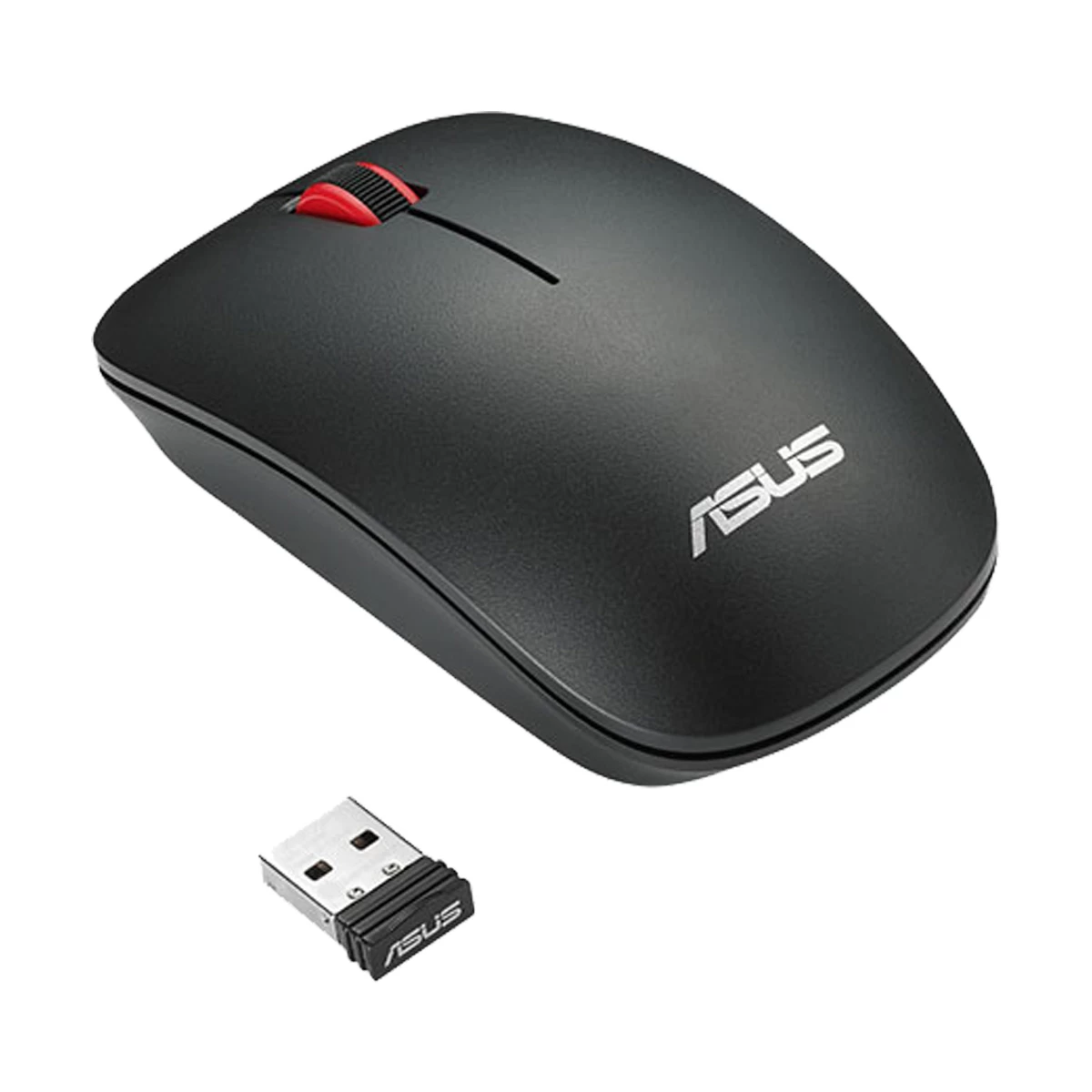
The WT300 is a compact wireless optical mouse for everyday cursor work on a laptop or desktop. ASUS lists a symmetrical, ambidextrous shape, so the basic form can be used with either hand. Its black body has red accents in the three existing catalog images, including a view with the small USB receiver. The local listing names the WT300 family and a shortened 90XB0450 code; ASUS sells regional part numbers with additional suffixes. Confirm the exact suffix and supplied accessories with the seller before relying on a regional listing.
The mouse connects through a 2.4GHz RF USB dongle rather than Bluetooth. Plug the receiver into a suitable USB port on the host computer. A laptop with only USB-C ports may need a compatible adapter. ASUS lists an optical sensor with 1000 and 1600 DPI settings, giving a choice between slower and faster pointer movement. These are sensor resolution settings, not a promise about precision on every surface. The WT300 has three buttons and a vertical scroll wheel on the cited regional product listing. It is suited to browsing, document work and routine navigation; buyers needing extra programmable buttons or a gaming-specific feature set should check another model.
ASUS gives mouse dimensions of approximately 104 × 59 × 35 mm and a listed weight of 56 g on its specification page. This relatively small footprint may suit a crowded desk or laptop bag, but hand comfort is personal: compare the measurements with a mouse you already use if you prefer a larger palm grip. The WT300 uses one AA battery. ASUS lists a 10 m RF distance under its specification conditions; real range depends on the surrounding devices and interference. Keep the receiver available when moving between computers, since the wireless link relies on that dongle. Battery life depends on usage and the actual battery, so a regional estimate should not be treated as guaranteed runtime.
Check that the local box contains the receiver and the intended battery, and confirm the exact 90XB0450 suffix, color and current seller terms. ASUS regional pages differ in their accessory and commercial details. The existing product gallery shows a black and red WT300 from top, angled and side views; those images support the visible color and form, while the ASUS WT300 specifications support the model-level technical details. No local price, stock, warranty or authorized-seller status is implied by the manufacturer page.
Helpful answers
Product-specific answers maintained with the catalog information.
No. ASUS lists a 2.4GHz RF connection through a USB receiver for the WT300.
ASUS lists 1000 and 1600 DPI optical-sensor settings.
ASUS describes its shape as symmetrical and ambidextrous. Comfort still depends on hand size and grip preference.
The ASUS specification lists one AA battery. Confirm whether a battery is included with the exact local box.
Confirm the complete 90XB0450 part suffix, USB receiver, color, box contents and current seller terms for the supplied unit.
Customer community
Become a merchant
Join BiponiBD, publish accurate offers and start free.