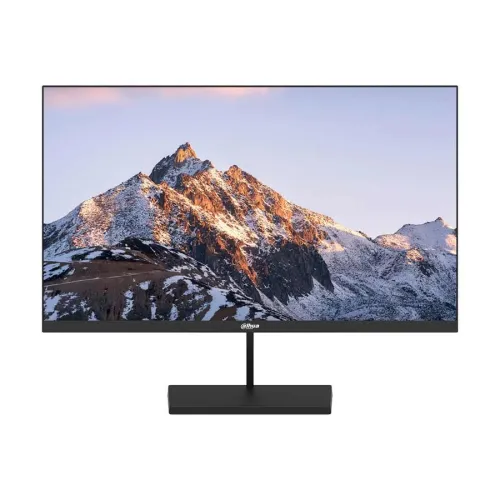
Dahua DHI-LM22-A201YF 21.45-inch IPS Full HD 100Hz Monitor: specifications and buying guide
Model identity and verified specification basis
The Dahua DHI-LM22-A201YF is a 21.45-inch Full HD IPS monitor. Dahua’s product page identifies the exact model and publishes the display, listed inputs, power, dimensions, weight and mounting specifications. Star Tech’s Bangladesh listing independently carries the matching model code and a three-year warranty term for its own sale. This product description uses manufacturer data for technical claims and labels local warranty and offer details separately. Match the code printed on the carton and rear label with DHI-LM22-A201YF before relying on model-specific compatibility or support information. Similar Dahua model numbers can use different panels, port limits or warranty terms.
At 21.45 inches, this monitor can fit desks where a larger display would take too much room. Full HD gives a native 16:9 workspace, but perceived sharpness also depends on operating-system scaling, font size and the distance from the screen. Check that your normal chair position allows comfortable reading without leaning forward. If text appears soft, confirm the operating system is using the native 1920 × 1080 resolution and that scaling is set to a comfortable level. The panel specification describes hardware capability; it does not decide how a particular computer renders fonts or video.
Refresh settings are controlled by the connected computer. Dahua specifies 100Hz maximum but does not specify input-specific timings for this exact model. Some computers may show only 60Hz until drivers are installed, a compatible cable is connected, or the correct display mode is selected. Docks, converters and long or damaged cables can also limit available timing. Check the operating system’s advanced display page after setup and confirm both resolution and refresh rate. If troubleshooting, connect directly to the computer by HDMI first, then add adapters or docks one at a time to identify a bottleneck.
The 75 × 75mm VESA measurement identifies the spacing between mounting holes; it does not establish that a particular arm will fit every screw length or stand arrangement. The panel body dimensions exclude the stand and wall-mount bracket, so use the full assembled footprint when planning a desk. Keep the display supported while attaching or removing the base. A separate wall bracket is optional in Dahua’s specification and should be selected for the monitor weight and wall construction. If you are unsure about installation, consult the arm instructions or a qualified installer.
Power ratings describe different operating conditions. Dahua gives 22W standard consumption, with standby at or below 0.5W. These values are useful for comparing specifications, but they do not predict an individual household’s bill because actual use depends on hours, brightness, sleep behavior and local electricity rates. The monitor uses a 12V DC external adapter. Retain the supplied adapter and check that its printed output matches the unit label. A connector that physically fits may still have the wrong voltage or polarity.
Before buying, confirm the exact product name and DHI-LM22-A201YF code on the product page, invoice and delivered unit. Ask whether the box is sealed and whether the listed base, power adapter and HDMI cable are included. Keep packaging until the monitor has been checked for panel damage, dead pixels under the seller’s return policy, working inputs, stable stand and correct refresh modes. Warranty coverage is determined by the BiponiBD offer and local documentation; the Dahua technical page and another retailer’s warranty do not replace those terms. Save the invoice and serial details for support.
Frequently asked questions
What are the screen size and resolution?
Dahua lists a 21.45-inch IPS panel with native Full HD resolution of 1920 × 1080 pixels. This is a 16:9 widescreen display. Use the computer’s display settings to select 1920 × 1080 when the graphics device and cable support it; a lower-resolution source will not show additional detail simply because it is connected to this monitor.
Can this monitor display 100Hz?
Dahua specifies a 100Hz maximum refresh rate. The exact-model datasheet does not state the maximum timing for each input, so confirm the delivered unit’s supported input mode before relying on 100Hz. The source computer, graphics output and cable must also support the selected timing.
What does the 10ms response time mean?
The Dahua specification states 10ms maximum. It does not identify a GTG or MPRT method in the listed specification, so this page does not label it as either. Response-time measurements depend on test conditions and should not be compared as identical unless the measurement method is the same.
What ports are available?
Dahua lists one VGA input and one HDMI input and specifies 100Hz maximum overall. Its datasheet does not publish a maximum timing per input. The official package list includes an HDMI cable, but confirm the exact regional box contents and cable condition with BiponiBD before ordering.
Does it have built-in speakers?
Dahua’s official specification does not list integrated speakers. Plan to use speakers or headphones connected to your computer or a separate audio device if you need sound. Do not assume that the monitor can output audio just because HDMI carries audio from the source.
What panel, brightness and contrast does it use?
Dahua lists an IPS panel with LED backlighting, 250 cd/m² maximum brightness, 1000:1 contrast and 178° horizontal/vertical viewing angles. These are the manufacturer’s stated specifications, not a measurement of the particular unit. Room lighting, screen settings and viewing conditions affect perceived brightness and contrast.
Is the display suitable for eye comfort?
Dahua describes an anti-blue-light design and lists Low Blue Light as a feature. This is a manufacturer feature claim and does not guarantee prevention of eye strain. Breaks, comfortable room lighting, suitable brightness and viewing distance remain useful for long sessions.
Can it be mounted on a wall arm?
The Dahua specification lists a 75 × 75mm VESA mounting pattern. Whether a bracket is included is not specified in the datasheet. Check the mount’s supported VESA size, screw requirements and load rating against the unit before installation. Do not assume a wall bracket is included.
What are the dimensions and weight?
Dahua lists the panel body without bracket at 492.7 × 284.0 × 41.2mm (W × H × D), with net weight 2.05kg and gross packaged weight 2.86kg. The package size is listed as 598 × 99 × 366mm. These figures help with desk or shipping planning; allow additional space for the stand, cables and ventilation.
What power supply does it require?
The official specification lists a 12V DC external power adapter. Power consumption is listed as 22W standard, with standby below 0.5W. Use the supplied adapter and check its label before connecting; do not substitute a power supply based only on a similar connector.
What warranty applies to the BiponiBD offer?
The catalog record currently states a three-year warranty, and Star Tech also lists three years for its own offer. The manufacturer’s specification page does not establish the warranty for this specific BiponiBD unit. Confirm the local warranty provider, start date, coverage, required invoice/serial documents and claim location with BiponiBD.
What are the current price and stock?
The saved BiponiBD variant price is BDT 8,800 and its catalog status is Active. Those stored fields do not prove live physical stock, delivery coverage or the final checkout amount. Confirm current availability and the payable price with BiponiBD before placing an order; other retailer offers can change independently.