BiponiBD
All categories

All categories

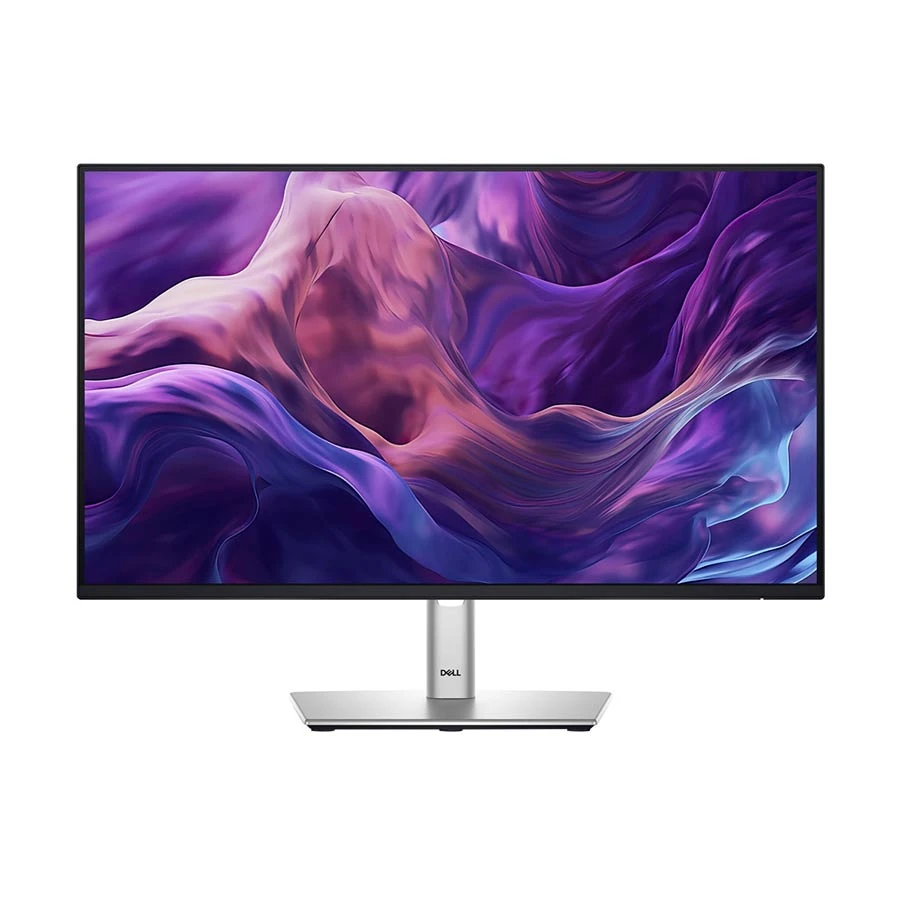
Dell Pro 24 Plus P2425H 24 Inch (23.8 Inch Viewable) FHD Display HDMI, DP, VGA, USB & USB-C Professional Monitor Black & Silver product viewNew condition

Monitors

Dell Pro 24 Plus P2425H 24 Inch (23.8 Inch Viewable) FHD Display HDMI, DP, VGA, USB & USB-C Professional Monitor

Dell · Pro 24 Plus P2425H 24 Inch (23.8 Inch Viewable) FHD Display HDMI, DP, VGA, USB & USB-C Professional Monitor

Dell Pro P2425H 23.8-inch Full HD IPS monitor at 100 Hz with HDMI, DisplayPort, VGA, USB hub and height, pivot, swivel and tilt adjustment.

Compare now

Price unavailable

Price range updating

No verified price is available yet. Store offers will appear when merchants publish them.

Buying options
  • Type: Pro 24 Plus desktop monitor
  • Brand: Dell
  • Model: P2425H
  • Resolution: 1920 × 1080 Full HD

Compare store prices

Buying options

0 live offers

No live offers for this variant

Offers will appear when merchants publish them.

Observed price history

Loading history…

Product story

Details worth knowing

Dell Pro P2425H display and connections

The Dell Pro P2425H is a 23.8-inch Full HD IPS desktop monitor with a listed 1920 × 1080 resolution and 100 Hz refresh rate. The screen size suits a typical document and browser workspace, while the IPS panel offers Dell-listed 178-degree viewing angles. Dell gives 99% sRGB color coverage, 250 cd/m² typical brightness, a 1500:1 typical contrast ratio and an anti-glare coating. These are comparison points for general office and media work; buyers who need calibrated color accuracy should check that separately. The screen's Full HD resolution provides a familiar 16:9 layout, but users wanting finer text or more pixels for detailed design work should compare a higher-resolution model.

Video inputs and USB hub

Dell lists one HDMI 1.4 input, one DisplayPort 1.2 input and one VGA input for the P2425H. HDMI supports up to Full HD 100 Hz on the cited specification; the connected computer and selected display mode must support the same setting. VGA can be useful for an older compatible source. For desk accessories, the monitor also includes a USB Type-B upstream port, three USB Type-A downstream ports and one USB Type-C downstream port. Dell labels that USB-C connection as data-only, with up to 15 W power delivery. It is not a USB-C video input or a full laptop charging dock. Connect the upstream data cable to the computer to use the hub as intended, and verify the ports your own computer provides.

Positioning and comfort

The stand supports height, tilt, swivel and pivot adjustment. Dell lists roughly 14.98 cm of height travel, -5 to +21 degrees of tilt and ±90 degrees of pivot on the regional specification. This flexibility can help place the panel beside another monitor or turn it vertically for a long document. The anti-glare coating, flicker-free listing and TÜV 4-star eye-comfort certification describe the model's design, not a guarantee against eye strain. Choose suitable room lighting and display brightness, and take breaks during long sessions. Dell does not list built-in speakers on the cited P2425H; an optional compatible soundbar is a separate accessory.

Confirm the exact item before ordering

Check that the seller is offering P2425H, not a similarly named P2425HE USB-C hub or P2425D higher-resolution model. Their connectivity and display specifications differ. Confirm the local box contents, supplied cables, exact regional part number and current seller warranty. Dell's P2425H technical specification supports the panel, input, hub and stand details in this guide. Check live merchant price and availability at the point of purchase rather than treating a static description as a current offer.

Features

  • 23.8-inch Full HD IPS panel with Dell-listed 100 Hz refresh
  • HDMI 1.4, DisplayPort 1.2 and VGA video inputs
  • USB hub with Type-B upstream, three USB-A and one USB-C downstream ports
  • USB-C downstream data port provides up to 15 W charging for a compatible accessory
  • Stand adjusts for height, tilt, swivel and pivot
  • Anti-glare screen and Dell-listed 99% sRGB coverage

Pros

  • Three video input types accommodate varied compatible computers
  • Adjustable stand supports both landscape and portrait desk arrangements
  • USB hub brings peripheral connections closer to the screen
  • 100 Hz Full HD mode can smooth supported desktop motion

Cons

  • USB-C is data-only downstream and cannot serve as a laptop video input
  • Up to 15 W downstream charging is insufficient to claim full laptop charging
  • No built-in speakers are listed for the cited P2425H
  • USB hub requires the upstream connection to the computer

Helpful answers

Frequently asked questions

Product-specific answers maintained with the catalog information.

Does Dell P2425H accept USB-C video from a laptop?

No. Dell labels its USB-C port as data-only downstream with up to 15 W charging. Use a supported HDMI, DisplayPort or VGA video connection.

Which video ports does the P2425H have?

Dell lists one HDMI 1.4, one DisplayPort 1.2 and one VGA input for this exact model.

Does the P2425H have built-in speakers?

Dell lists no built-in speakers on the cited P2425H specification. An optional soundbar is a separate accessory.

Can its stand turn the screen vertically?

Yes. Dell lists pivot as well as height, tilt and swivel adjustment. Set computer display rotation to match the physical orientation.

Customer community

Reviews & product Q&A

No ratings yet

Choose your own rating. BiponiBD never adds a default rating or review.

Be the first customer to review an available Store offer.
Back to all products

Become a merchant

Put your store in front of ready buyers.

Join BiponiBD, publish accurate offers and start free.

Start free