Pros
- Adjustable stand supports portrait and comfortable desk positioning
- USB hub can bring accessory ports closer to the work area
- 100 Hz Full HD mode can improve supported desktop motion
- 21.5-inch footprint may fit a compact multi-monitor desk

All categories
 New condition
Monitors
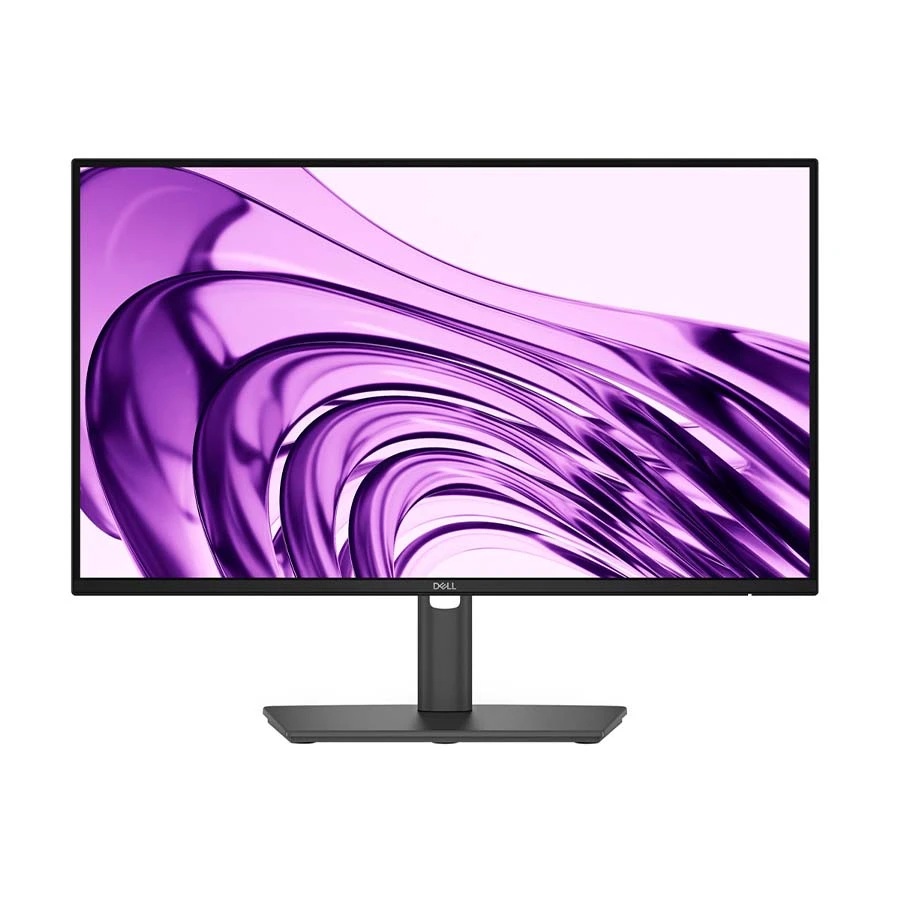
Dell · Pro P2226H 22 Inch FHD 100Hz IPS Professional Monitor
Dell Pro P2226H 21.5-inch Full HD IPS monitor at up to 100 Hz, with HDMI, DisplayPort, USB hub and height, pivot, swivel and tilt adjustment.
Price unavailable
Price range updating
No verified price is available yet. Store offers will appear when merchants publish them.
Compare store prices
No live offers for this variant
Offers will appear when merchants publish them.
Loading history…
Product story
The Dell Pro P2226H has a 21.5-inch Full HD IPS display with a 1920 × 1080 resolution and a listed 100 Hz refresh rate. Its size can fit a desk where a 24-inch display would leave less room for documents, input devices or a second screen. Dell lists 178-degree horizontal and vertical viewing angles, an anti-glare surface and 300 cd/m² typical brightness on the cited regional specification. IPS viewing angles can help when the panel is rotated or viewed beside another monitor. Screen appearance still depends on room lighting, content and display settings, so buyers doing color-sensitive work should compare their own needs with the listed 99% sRGB coverage.
Dell lists one HDMI input and one DisplayPort 1.4 input for the P2226H. The manufacturer's ports diagram describes up to Full HD 100 Hz through these connections; select a compatible output and display mode on the connected computer. The monitor also acts as a USB hub, with a USB Type-B upstream connection, USB-A downstream ports and USB-C downstream connectivity. Dell lists up to 15 W charging on a USB-C downstream port. That downstream rating is intended for compatible accessories; it should not be mistaken for laptop USB-C video input or full-power laptop charging. Connect the upstream cable if you want the monitor's downstream USB ports to communicate with the computer, and check the local box for included cables.
The included stand supports height, pivot, swivel and tilt adjustment. Dell lists approximately 15 cm of height travel, a -5 to 21 degree tilt range and ±90 degree pivot on the cited model page. This helps position the screen for a seated workstation or turn it vertically for a long document, although application scaling and operating-system rotation must be configured separately. A 100 × 100 mm VESA mounting pattern is listed for an optional compatible arm. Dell also lists TÜV Rheinland 4-star eye comfort, low-blue-light and flicker-free features. These specifications describe the monitor's design; good desk position, suitable brightness and regular breaks remain personal setup choices.
Verify the precise P2226H model before ordering because neighboring Dell Pro models differ in size, ports and stand design. The cited regional Dell page lists a power cable, DisplayPort cable and USB Type-A-to-Type-B upstream cable; it notes that an HDMI cable is supplied only in selected countries. Confirm the actual Bangladesh seller package, local warranty and current offer details independently. Dell's P2226H specification is the source for the model-level screen, hub and stand details here. Do not infer built-in speakers, a webcam or Ethernet from the USB hub: Dell's cited configuration lists none of those devices.
Helpful answers
Product-specific answers maintained with the catalog information.
Dell lists a 21.5-inch Full HD IPS panel at a standard 100 Hz refresh rate. Choose a compatible source output and display mode.
Dell lists up to 15 W charging on a USB-C downstream port. That is not a claim of full laptop charging or USB-C video input.
Yes. Dell lists height, pivot, swivel and tilt adjustment for the cited P2226H configuration. Set display rotation in the computer as needed.
Dell lists power, DisplayPort and USB upstream cables, while an HDMI cable is included only in selected countries. Confirm the exact local seller package.
Customer community
Become a merchant
Join BiponiBD, publish accurate offers and start free.