Pros
- 120 Hz mode can make supported desktop motion smoother
- Flexible stand supports landscape or portrait desk use
- HDMI and DisplayPort accommodate common compatible computers
- USB hub keeps accessory connections near the screen

All categories
 New condition
Monitors
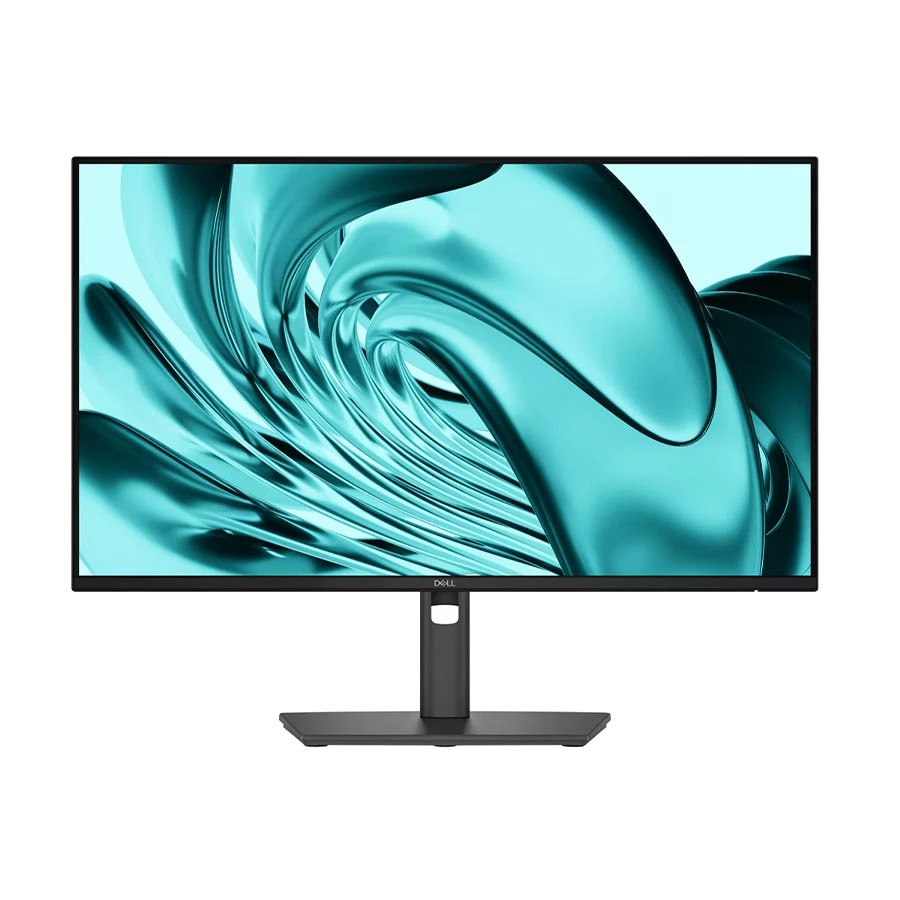
Dell · Pro P2426H 24 Inch FHD 120Hz IPS Professional Monitor
Dell Pro P2426H 23.8-inch Full HD IPS monitor at 120 Hz, with HDMI, DisplayPort, USB hub and height, pivot, swivel and tilt adjustment.
Approximate Market Price
BDT 21,799 – BDT 22,300
Informational market estimate only; this is not a current Store offer. Last checked Nov 2, 2026. Source
Compare store prices
No live offers for this variant
BDT 21,799 – BDT 22,300
Approximate Market Price
Informational market estimate only; this is not a current Store offer. Last checked Nov 2, 2026. Source
Loading history…
Product story
The Dell Pro P2426H has a 23.8-inch Full HD IPS panel at 120 Hz, according to Dell's model specification. Its 1920 × 1080 resolution gives a familiar 16:9 workspace for documents, browsing and routine media. The higher refresh rate can make supported scrolling and pointer movement look smoother, provided the computer output, cable and display settings also run at the specified mode. Dell lists 178-degree viewing angles, an anti-glare surface and typical 300 cd/m² brightness for this model. The screen can suit a single desk or a two-monitor arrangement, though buyers needing more pixels for detailed design or large spreadsheets should compare a QHD model.
The cited P2426H has one HDMI input and one DisplayPort 1.4 input. Dell's ports diagram lists up to Full HD 120 Hz through both, making the choice dependent on the computer's available output. It also includes a USB Type-B upstream connection, two USB Type-A downstream ports and two USB-C downstream ports. The downstream USB-C ports are listed for data and up to 15 W accessory charging. They should not be mistaken for USB-C display input or a full-power laptop charging dock. Use a suitable upstream cable to connect the monitor's hub to the computer before expecting attached USB accessories to transfer data. Check your keyboard, storage and other peripherals against the available port types.
The standard Dell stand supports height, pivot, swivel and tilt adjustment. The model page lists approximately 15 cm of height travel, -5 to 21 degrees of tilt, -45 to +45 degrees of swivel and ±90 degrees of pivot. A vertical orientation may be useful for long documents; rotate the operating-system display setting after physically turning the panel. Dell also lists VESA 100 × 100 mm compatibility for an optional appropriate mount. The anti-glare panel, low-blue-light and flicker-free listings and TÜV 4-star eye-comfort certification describe the manufacturer's design. Comfortable use still depends on desk height, room lighting, appropriate brightness and regular breaks.
Compare the exact P2426H code with P2426HE, which is a different USB-C hub model, before buying. Dell's cited regional page lists a power cable, DisplayPort cable and USB Type-A-to-Type-B upstream cable; HDMI cable inclusion may vary by country. Verify what the Bangladesh seller actually supplies, together with the local warranty and current offer. Dell's P2426H technical specification supports the panel, video inputs, hub and stand details in this guide. Do not assume built-in speakers, webcam or Ethernet from the presence of USB ports; confirm any such requirement against the exact regional unit.
Helpful answers
Product-specific answers maintained with the catalog information.
Dell lists a 23.8-inch Full HD IPS panel with a standard 120 Hz refresh rate. Use a compatible output, cable and display mode.
The cited P2426H USB-C ports are downstream accessory ports, with up to 15 W charging. Dell lists HDMI and DisplayPort as its video inputs.
Yes. Dell lists pivot, height, swivel and tilt adjustment. Configure the display orientation on the computer after rotating the panel.
Dell lists power, DisplayPort and USB upstream cables on the cited regional page. Confirm the actual local box and any HDMI cable with the seller.
Customer community
Become a merchant
Join BiponiBD, publish accurate offers and start free.