A straightforward Full HD screen for daily computing
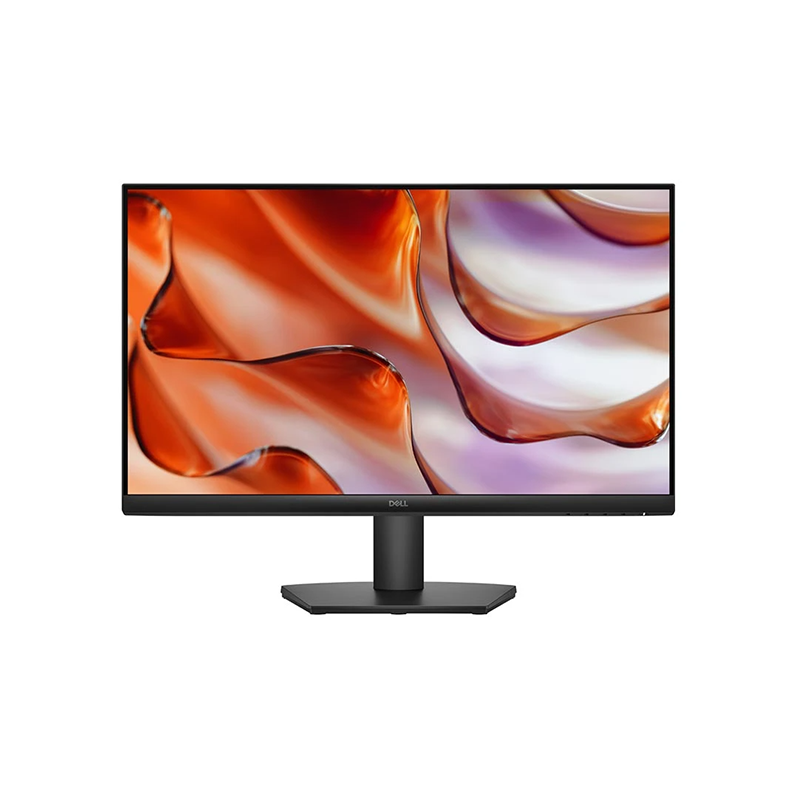
The Dell SE2425HM is a 23.8-inch IPS monitor for general work, study, browsing and home entertainment. Dell’s official specification describes a Full HD 1920 × 1080 panel with a maximum 100Hz refresh rate over HDMI. The four catalog images show the monitor from the front, an angled front view, the rear casing and a side profile. They depict a black display with a three-sided narrow bezel and a simple tilt stand. This is a conventional desktop monitor rather than a USB-C dock or all-in-one audio display. Dell lists HDMI and VGA inputs, an internal power supply and a VESA 100 × 100 mm mounting interface. It is suited to a desk where Full HD resolution and basic video connectivity meet the user’s needs.
23.8-inch screen and Full HD workspace
The screen measures 23.8 inches diagonally and uses a 16:9 aspect ratio. The native resolution is 1920 × 1080, giving a familiar desktop layout for documents, browser tabs, spreadsheets, video calls and media. Dell lists 93 pixels per inch and a pixel pitch of 0.2745 mm. Full HD is commonly used with office software and standard video, but users needing more workspace or sharper small text may prefer a QHD or 4K monitor. For best clarity, set the computer to 1920 × 1080 and choose scaling that keeps text comfortable at the viewing distance. The physical screen is 24-inch class; the active viewable area is 23.8 inches.
IPS panel, viewing angle and color
Dell specifies in-plane switching (IPS) technology and 178-degree horizontal and vertical viewing angles. IPS can help keep the picture usable when the viewer is off-center, although it does not ensure professional color calibration. Dell lists 16.7 million colors and a minimum 72% NTSC color gamut measured using CIE 1931. That gamut figure is not the same as a guarantee of sRGB accuracy, factory calibration or suitability for print proofing. The display is an LED Edgelight system with 250 cd/m² typical brightness and 1000:1 typical contrast. For color-critical work, use a calibrated display and request measurement data rather than relying on panel type alone.
Refresh rate depends on the port
Dell lists a maximum 1920 × 1080 refresh rate of 100Hz over HDMI. The VGA input supports Full HD up to 60Hz. If you want 100Hz, connect the computer through HDMI with a suitable cable, then select 100Hz in the operating system’s advanced display settings. The source graphics output and driver must support the mode as well. If 100Hz does not appear, confirm the input, cable, driver and resolution; the monitor cannot exceed the maximum of the chosen port. This input-specific distinction matters when a computer has both analog VGA and digital HDMI outputs. The 100Hz mode can make scrolling and supported motion appear smoother than 60Hz, but it does not raise the computer’s rendered frame rate.
Response time and motion behavior
The official Dell specification gives 8ms Gray-to-Gray in Normal mode and 5ms Gray-to-Gray in Fast mode. These are different operating modes and should be presented with their labels. A lower response-time setting can reduce transition blur but may affect overshoot or picture quality depending on the panel and content. This model is not advertised by Dell with a 1ms MPRT mode. For ordinary web, office and video use, Normal mode may be sufficient; users can compare Fast mode during motion and choose the setting that looks best. Actual results also depend on the source frame rate and selected refresh rate.
Brightness, contrast and anti-glare surface
Dell lists typical brightness of 250 cd/m² and typical static contrast of 1000:1. The screen has an anti-glare finish with a 3H hard coating. These specifications support ordinary indoor use but are not a promise of outdoor sunlight readability or HDR performance. Adjust brightness to suit the room and avoid placing the display directly opposite a bright window. The coating can reduce reflections, though strong direct light may remain visible. Dell’s standard feature list focuses on a Full HD everyday monitor; HDR certification is not listed. This copy uses Dell’s numeric specifications rather than inventing additional display technologies.
Eye comfort and environmental credentials
Dell describes Eye Comfort technology and markets the SE2425HM as certified by TÜV Rheinland for 3-star eye comfort. Its technical datasheet also lists ENERGY STAR 8.0, RoHS compliance and low-content environmental features. Eye comfort modes can make long sessions more pleasant for some users, but comfort varies; take breaks, adjust brightness and keep sensible room lighting. The model is specified as supporting up to 12 hours of operation per day. This is an operating recommendation, not a guarantee of performance under every workload. Dell’s product information also mentions mercury-free panel glass and arsenic-free glass, alongside BFR/PVC reduction statements.
HDMI and VGA connections
The official port list includes one HDMI 1.4 input with HDCP 1.4 and one VGA input. HDMI supports Full HD at up to 100Hz; VGA is specified up to Full HD at 60Hz. There is no DisplayPort, USB-C, USB hub, audio output or integrated speaker. HDMI may carry audio from the source, but this monitor has no onboard speakers or audio jack to reproduce it. If the computer offers only USB-C or DisplayPort, an appropriate adapter may be needed; confirm the adapter supports 1920 × 1080 at the desired refresh rate. The rear view image shows a simple HDMI/VGA arrangement along with power and a security-lock slot.
Stand, VESA mount and placement
The included stand supports tilt from −5° to +21°. Dell does not list height adjustment, swivel or pivot on this stand. For a different ergonomic range, use a compatible VESA arm with the 100 × 100 mm pattern. Dell gives dimensions of approximately 538.64 mm wide, 412.26 mm high and 178.81 mm deep with the stand. Without the stand, the display is about 538.64 × 324.21 × 47.70 mm. Weight is 3.47 kg with stand and cables, or 2.80 kg without stand. Check desk space and the arm’s load rating before installation. The Kensington lock slot allows attachment of a separately purchased cable lock.
Power use and what is in the box
The monitor has an internal power supply and accepts 100–240V AC at 50 or 60Hz. Dell lists 12.8W typical on-mode consumption, 0.3W standby and 0.3W off; the 28.5W maximum is defined under a separate load condition. The Dell datasheet lists the monitor with stand, power cable, 1.8m HDMI cable, QR card and safety information. Regional packaging may vary, so confirm the actual Bangladesh seller’s box contents. The internal supply means there is no external power brick to place on the desk. Keep the ventilation area clear and use the supplied or Dell-approved power cable.
Warranty and regional service differences
Dell’s global SE2425HM datasheet lists a three-year Worldwide Advanced Exchange service plan, while Dell’s US product page lists a one-year warranty for its US part number. Bangladesh retailers, including Star Tech and Daffodil, list three years locally. Warranty service depends on the local distributor, service provider and exact regional stock code. Ask which company handles a claim, whether an invoice and serial number are needed, and how dead pixels or panel defects are assessed. The catalog previously stated a generic manufacturer/importer warranty; this listing now describes the common local three-year claim while clearly advising buyers to confirm the actual provider and written terms.
Who may want the SE2425HM
The Dell SE2425HM may suit a student, office user or home setup that needs an uncomplicated IPS Full HD monitor with HDMI and VGA, a tilt stand and 100Hz HDMI refresh. It is less suitable when the user requires a high-resolution workspace, adjustable-height stand, integrated speakers, DisplayPort, USB-C docking or color-critical calibration. Users with a 100Hz goal should connect over HDMI rather than VGA. For multiple monitors, consider whether the slim bezel and available desk width work with the existing setup. Before checkout, confirm local warranty coverage, delivery contents, price and the exact model on the box.
Quick setup checklist
Attach the stand, connect power and choose HDMI for 100Hz or VGA for up to 60Hz. In display settings, select 1920 × 1080 and the highest mode supported by the computer and cable. Set brightness to suit the room, then try Normal or Fast response mode according to motion preference. Tilt the screen to reduce glare and check that the base sits securely. If mounting on an arm, use the 100 × 100 mm VESA pattern and respect the load rating. For sound, connect speakers or headphones to the computer because this display has no built-in audio output. Keep the invoice and serial number for the local warranty provider.
Technical specification summary
Key features
- 23.8-inch viewable IPS LED display with Full HD 1920 × 1080 resolution and 16:9 aspect ratio.
- Up to 100Hz refresh over HDMI for smoother motion; VGA supports Full HD up to 60Hz.
- 250 cd/m² typical brightness and 1000:1 typical contrast ratio per Dell technical specifications.
- 178° horizontal and vertical viewing angles and 72% NTSC minimum color gamut (CIE 1931).
- Response time is 8ms Gray-to-Gray in Normal mode or 5ms in Fast mode.
- Anti-glare screen with 3H hard coating, 3-sided narrow bezel and tilt-only stand.
- Eye Comfort technology, flicker-free screen, low-blue-light support and TÜV Rheinland 3-star rating.
- One HDMI input with HDCP 1.4 and one VGA input; no DisplayPort, USB-C or audio output.
- Internal power supply with 12.8W typical on-mode consumption and 0.3W standby/off.
- VESA 100 × 100 mm, Kensington lock slot, ENERGY STAR 8.0 and local retailer-listed warranty.
Advantages
- 100Hz HDMI refresh is a useful step up from 60Hz displays for supported everyday content.
- IPS and 178° viewing angles suit shared viewing and general office or home tasks.
- HDMI and VGA support modern HDMI sources and older VGA devices.
- Internal power supply, included stand and included HDMI/power cables simplify initial setup.
- Local sellers advertise three-year warranty; Dell global datasheet also describes a Worldwide three-year service plan.
Points to consider
- VGA is limited to 1920 × 1080 at 60Hz; 100Hz is only specified over HDMI.
- Full HD at 23.8 inches has less fine detail than QHD or 4K monitors.
- Stand supports tilt only; it does not provide height, swivel or pivot adjustment.
- No integrated speakers, headphone output, DisplayPort or USB-C input.
- Dell US page says one-year warranty, while global sheet/local sellers state three years; verify country-specific service coverage.
Frequently asked questions
What is the Dell SE2425HM?
It is a 23.8-inch Full HD IPS monitor in Dell’s SE series, designed for general home and office use. Dell lists a 100Hz refresh rate over HDMI and a tilt-only stand. The model has HDMI and VGA inputs, not DisplayPort or USB-C.
What resolution does it support?
Dell specifies 1920 × 1080 Full HD. Use this native resolution for the sharpest image. VGA supports up to 60Hz, while HDMI supports up to 100Hz at Full HD.
Does it support 100Hz?
Yes, over HDMI at 1920 × 1080 according to Dell. VGA is limited to 60Hz. The computer, graphics output and HDMI cable must also support the mode; select 100Hz in the operating system display settings.
What response time should I expect?
Dell lists 8ms Gray-to-Gray in Normal mode and 5ms Gray-to-Gray in Fast mode. The local retailer also advertises 5ms Fast. These are response-time modes, not a separate 1ms MPRT claim.
What are the brightness and contrast values?
Dell lists 250 cd/m² typical brightness and 1000:1 typical contrast. Screen appearance also depends on room lighting, picture settings and content.
What ports are available?
The official specification lists one HDMI port with HDCP 1.4 and one VGA input. There is no DisplayPort, USB-C or audio output listed. VGA carries video; HDMI can carry digital audio signals but this monitor has no speakers or audio jack to play them.
Does it have built-in speakers?
No. Dell’s specification lists no audio output and no integrated speakers. Connect speakers or headphones to the computer or another audio source.
Can I use an adjustable monitor arm?
Yes. Dell lists a 100 × 100 mm VESA mount. Use an arm rated for the monitor’s weight and check screws. The supplied stand adjusts tilt from −5° to +21° only.
How bright and color-capable is the panel?
Dell lists 250 cd/m² typical brightness, 16.7 million colors and a minimum 72% NTSC gamut using CIE 1931. These figures do not represent professional factory calibration or guarantee color accuracy.
What is the warranty in Bangladesh?
Bangladesh retailer pages state three years. Dell’s global datasheet describes three-year Worldwide Advanced Exchange service, while the Dell US page lists a one-year plan for its US SKU. Confirm the service provider and exact terms for the unit sold in Bangladesh.
What comes in the box?
Dell lists the monitor with stand, power cable, 1.8m HDMI cable, QR card and safety information. Regional packaging can vary, so confirm the seller’s carton contents.
How much power does it use?
Dell lists 12.8W typical on-mode consumption and 0.3W in standby and off modes, with an internal 100–240V AC power supply. Maximum power is listed separately at 28.5W under Dell’s stated test conditions.
Specifications are based on Dell’s official SE2425HM product page and global datasheet, with Bangladesh seller cross-checks. Warranty terms vary by region; confirm the local provider.