BiponiBD
All categories

All categories

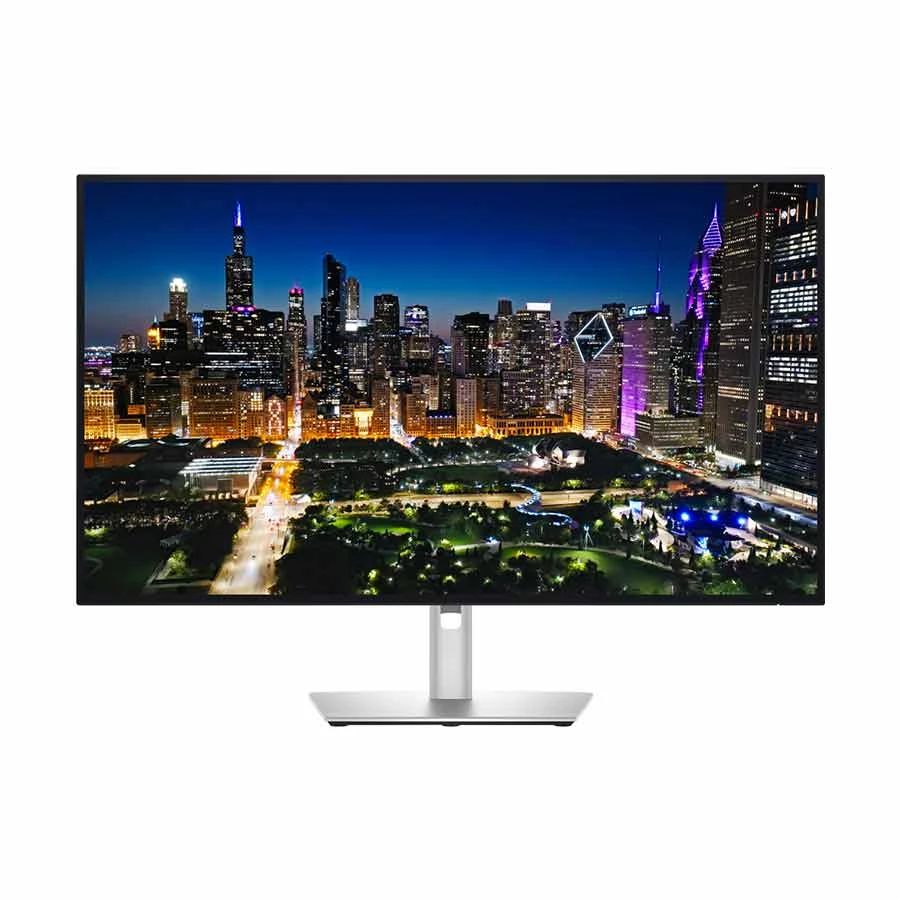
Dell UltraSharp U3225QE silver 31.5-inch 4K monitor front viewNew condition

Monitors

Dell UltraSharp U3225QE 32 Inch (31.5 Inch Viewable) 4K UHD HDMI, Dual DP, Dual Thunderbolt, Quad USB, USB Type-C, LAN Professional Monitor

Dell · UltraSharp U3225QE 32 Inch (31.5 Inch Viewable) 4K UHD HDMI, Dual DP, Dual Thunderbolt, Quad USB, USB Type-C, LAN Professional Monitor

Dell UltraSharp U3225QE 31.5-inch 4K IPS Black monitor at 120 Hz with Thunderbolt 4 upstream and downstream, up to 140 W compatible laptop power, USB hub and 2.5GbE.

Compare now

Price unavailable

Price range updating

No verified price is available yet. Store offers will appear when merchants publish them.

Buying options
  • Audio: 3.5 mm line-out; no built-in speakers listed
  • Brand: Dell
  • Model: U3225QE
  • Stand: Height approximately 150 mm; tilt, swivel and ±90° pivot

Compare store prices

Buying options

0 live offers

No live offers for this variant

Offers will appear when merchants publish them.

Observed price history

Loading history…

Product story

Details worth knowing

Dell UltraSharp U3225QE 4K Thunderbolt hub monitor

Dell UltraSharp U3225QE is a 31.5-inch viewable 4K hub monitor with a flat IPS Black panel, 3840 × 2160 resolution and standard 120 Hz refresh rate. Dell specifies 140 pixels per inch, a typical 3000:1 native contrast ratio, 100% sRGB and 99% DCI-P3 colour coverage. These specifications offer a spacious, fine-detail desktop for documents, creative work and multiple windows. Dell lists average factory calibration accuracy below Delta E 1.5, but colour-sensitive work should still use a suitable workflow and periodic calibration. A VESA DisplayHDR 600 listing does not mean every source or setting will show HDR; the computer, application and content must support it.

Video, charging and the two Thunderbolt roles

The rear video connections include HDMI 2.1, a DisplayPort 1.4 input and a DisplayPort 1.4 output. The output supports compatible daisy-chain arrangements, subject to the connected computer and display configuration. A Thunderbolt 4 upstream port carries video and hub data from a compatible computer and can provide up to 140 W Extended Power Range charging when the host and cable support the required power mode. The separate Thunderbolt 4 downstream port is intended for a compatible downstream device or display and offers up to 15 W charging; do not confuse it with a second 140 W laptop input. Dell also lists a USB-C 10 Gbps upstream data connection for KVM use. Check the exact port function on a laptop before assuming one cable will carry every signal.

Hub, network and desk setup

The monitor has multiple USB Type-A and Type-C downstream ports plus a 2.5GbE RJ-45 network port. Those ports make a wired desk setup convenient when the relevant upstream link to the computer is connected. Dell lists a 3.5 mm audio line-out, but no built-in speakers. The stand supports approximately 150 mm of height travel, tilt, swivel and portrait pivot, and a 100 × 100 mm VESA mount is listed. An ambient light sensor, anti-glare surface and ComfortView Plus low-blue-light feature are part of Dell's display design. Adjust brightness and placement to suit the room rather than treating a comfort feature as a substitute for breaks.

Check the exact configuration

This model suits a professional desk that needs 4K detail, 120 Hz motion, a broad USB hub and a high-power Thunderbolt host connection. It may be unnecessary if a simple HDMI screen is enough, and it is not a substitute for checking host Thunderbolt capability, compatible power delivery or daisy-chain support. Regional manufacturer part numbers and included cables can vary; verify the actual Bangladesh unit and box contents with the seller. Confirm the current merchant offer and local warranty separately. Dell's U3225QE manuals provide connection and setup details.

Features

  • 31.5-inch 4K IPS Black display at 120 Hz
  • Thunderbolt 4 upstream with up to 140 W EPR on compatible hosts
  • Thunderbolt 4 downstream plus DisplayPort 1.4 output for compatible daisy chains
  • USB Type-A and Type-C hub with separate USB-C KVM upstream
  • 2.5GbE RJ-45 network port and 3.5 mm audio line-out
  • Height, tilt, swivel and portrait pivot adjustment
  • Specified 3000:1 contrast and DisplayHDR 600 certification

Pros

  • 4K panel and 120 Hz refresh support a detailed, responsive desktop
  • Thunderbolt upstream can combine compatible video, data and laptop charging
  • USB hub and 2.5GbE port reduce desk cabling with the proper upstream link
  • Adjustable stand supports landscape and portrait working positions

Cons

  • Up to 140 W charging requires a compatible Thunderbolt host and cable
  • Thunderbolt downstream is limited to up to 15 W, not laptop-class 140 W output
  • No built-in speakers are listed
  • DisplayPort daisy chaining depends on the source device and downstream monitor

Helpful answers

Frequently asked questions

Product-specific answers maintained with the catalog information.

Does Dell U3225QE support 4K at 120 Hz?

Dell specifies a native 3840 × 2160 resolution and standard 120 Hz refresh rate. Use a compatible source, cable and display mode.

Can the U3225QE charge a laptop at 140 W?

Its Thunderbolt 4 upstream port supports up to 140 W EPR when the connected laptop and cable support the required power mode. The Thunderbolt downstream port is rated up to 15 W.

Are both DisplayPort connectors video inputs?

No. Dell lists one DisplayPort 1.4 input and one DisplayPort 1.4 output. The output is for compatible daisy-chain arrangements.

Does the U3225QE have Ethernet and built-in speakers?

It has a 2.5GbE RJ-45 port and 3.5 mm audio line-out. Dell does not list built-in speakers.

Can I turn the Dell U3225QE into portrait orientation?

Yes. Dell lists ±90° pivot adjustment along with height, tilt and swivel. Change the computer display orientation after rotating the panel.

Customer community

Reviews & product Q&A

No ratings yet

Choose your own rating. BiponiBD never adds a default rating or review.

Be the first customer to review an available Store offer.
Back to all products

Become a merchant

Put your store in front of ready buyers.

Join BiponiBD, publish accurate offers and start free.

Start free