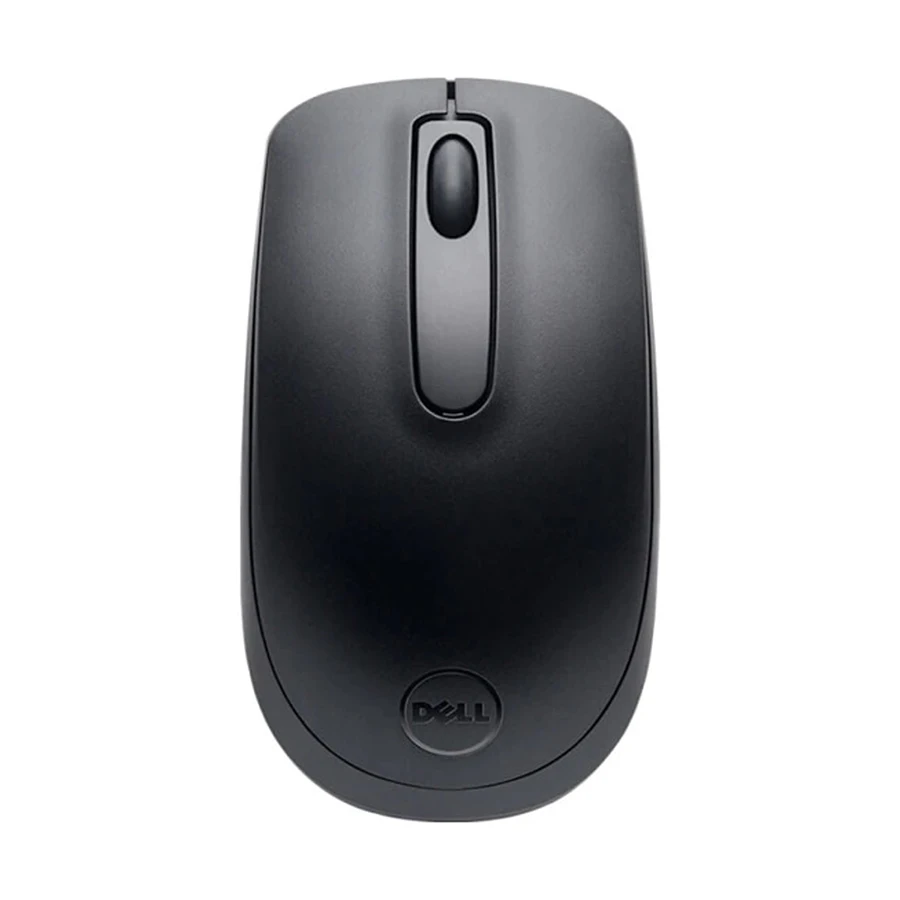
Dell WM118 wireless optical mouse
The Dell WM118 is a three-button optical mouse for everyday cursor control at a desk or on a laptop. It uses a 2.4 GHz radio connection through a USB Type-A receiver, so the computer needs an available USB-A port or a suitable adapter. It is a receiver-based mouse; do not assume it pairs directly over Bluetooth. Dell specifies 1000 dpi tracking, a left and right button, and a clickable mechanical scroll wheel. Those straightforward controls suit document editing, browsing, email and routine office work where a compact wireless pointer is useful.
Connection and setup
Insert the USB receiver into the host computer and install the AA battery following the mouse's polarity markings. Dell describes the connection as plug and play, which avoids a separate pairing workflow for normal use. Keep the receiver with the mouse when travelling because it is the link to the computer. Check your host's port arrangement before ordering: a USB-C-only laptop will need an appropriate USB-A adapter or hub. This model's stated 1000 dpi is a fixed specification; the Dell listing does not establish multiple selectable sensitivity modes, Bluetooth pairing, programmable buttons or a rechargeable battery.
Power, size and handling
The WM118 runs on one AA battery. Dell quotes up to 18 months of battery life, an upper estimate that depends on use and operating conditions. The compact black body measures approximately 104.9 mm long, 58.4 mm wide and 38.9 mm high in Dell's technical listing. Its small size can reduce desk clutter and help with storage, but buyers who prefer a larger grip should compare these dimensions with their current mouse. Optical tracking works best on an appropriate, reasonably clean surface; actual cursor feel also depends on the computer settings and surface material.
What to check before purchase
Confirm that the selected package includes the matching USB receiver and an AA battery, as shown on Dell's WM118 listing. Check the precise seller package, current local warranty terms and whether your computer has a usable USB-A connection. Review the Dell WM118 specifications for the manufacturer's stated controls, wireless interface and battery information.