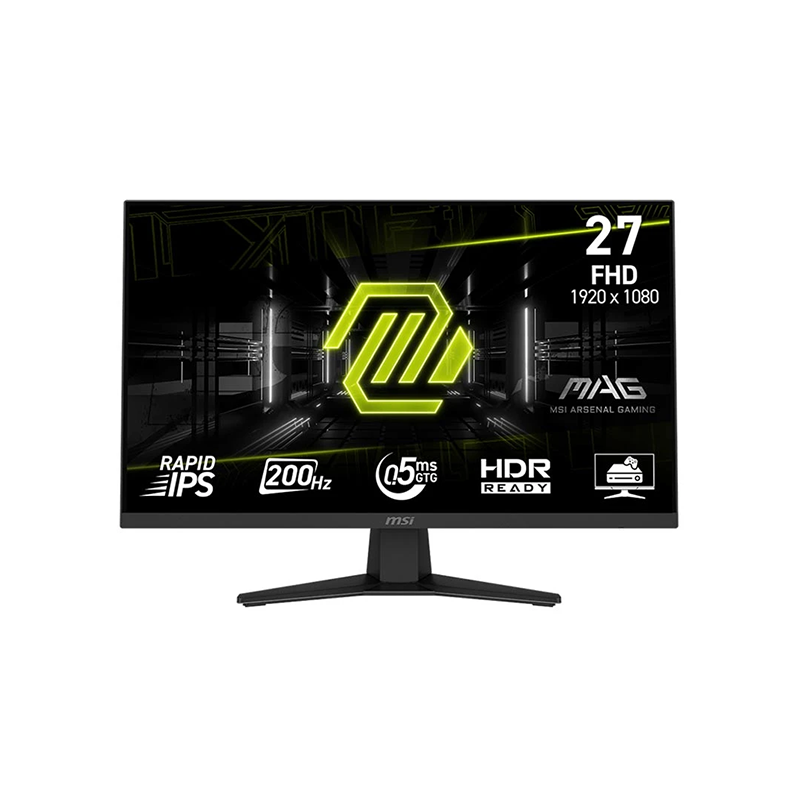
MSI MAG 274F overview
The MSI MAG 274F is a flat 27-inch gaming monitor with a Rapid IPS panel and Full HD resolution of 1920 × 1080. MSI specifies a 200Hz maximum refresh rate and a minimum 0.5ms gray-to-gray response time. The phrase “minimum” is important: response results depend on pixel transitions and the selected on-screen response-time setting. The display uses an anti-glare surface, supports Adaptive-Sync and AMD FreeSync Premium, and is marked HDR Ready. Its published typical SDR brightness is 300 cd/m² and typical contrast ratio is 1000:1. Connectivity consists of one HDMI 2.0b input, one DisplayPort 1.2a input, and one headphone-out jack. The supplied stand adjusts by tilt only; height adjustment, swivel and pivot are not listed. This guide separates manufacturer specifications from retailer claims and explains the model’s limits so buyers can match it to a desktop or console setup.
27-inch Full HD and pixel density
The 16:9 screen measures 27 inches diagonally and displays 1920 × 1080 pixels. The active display area is approximately 597.888 by 336.312mm, with a pixel pitch of 0.3114mm. At this size the panel has about 82 pixels per inch, so text and fine graphics will look less dense than on a 24-inch Full HD display or a 27-inch QHD screen. The trade-off is that Full HD is less demanding for a graphics card to render at very high frame rates. A competitive game that can maintain close to 200 frames per second may benefit more from the high refresh rate than it would from extra resolution, while users who prioritize reading fine text or working with detailed spreadsheets may prefer a denser QHD screen. Choose the monitor for the resolution it actually has: MAG 274F is Full HD, not QHD.
200Hz refresh rate and input requirements
MSI lists 200Hz maximum refresh and an activated variable-refresh range of 48–200Hz. Its specifications identify HDMI 2.0b as supporting FHD at up to 200Hz and DisplayPort 1.2a with HBR2 as the other PC input. The manufacturer’s manual includes 1920 × 1080 at 200Hz for both HDMI and DisplayPort in the preset display-mode table. To use 200Hz, the computer, graphics output, cable and operating-system mode must all support it. After connecting, select 1920 × 1080 and check the advanced display settings or graphics control panel for the desired refresh rate. A console may use different timing modes: MSI lists 1080p at 60Hz and 120Hz for console mode and VRR support for PS5 and Xbox. A console should not be expected to output 200Hz.
What 0.5ms GtG means
MSI specifies 0.5ms GtG as a minimum response-time figure. The manufacturer’s manual separates that measurement from MPRT: its specification table lists 0.5ms GtG and 1ms MPRT, while a newer datasheet highlights the 0.5ms GtG minimum. Therefore the 0.5ms claim should not be mislabeled as MPRT. GtG describes transitions between shades of gray, and “minimum” does not mean every transition occurs in half a millisecond. The on-screen display offers Normal, Fast and Fastest response-time settings. The Fastest mode may make some transitions quicker, but the most aggressive overdrive can create visible overshoot depending on the image and refresh rate. Compare settings using moving scenes and choose the cleanest result. The separate MPRT function is available only above 85Hz and cannot be combined with Adaptive-Sync; when HDR input is active, the manual greys out MPRT.
Adaptive-Sync, FreeSync and tear control
MSI lists Adaptive-Sync and AMD FreeSync Premium for the MAG 274F, with a 48–200Hz activated range. Variable refresh synchronizes supported display updates with compatible GPU frame output inside that operating range, helping reduce tearing and uneven presentation when frame rates fluctuate. It does not increase the number of frames a game renders. MSI’s official materials do not list NVIDIA G-SYNC certification for this model, so catalog copy should not promise certified G-SYNC support. Some NVIDIA graphics cards may expose compatible Adaptive-Sync behavior in a driver, but that is system-dependent and should be tested rather than represented as a manufacturer certification. The manual notes that MPRT affects Adaptive-Sync: enabling MPRT turns Adaptive-Sync off. For variable-refresh gaming, leave MPRT disabled and enable Adaptive-Sync in the monitor menu and graphics settings.
Brightness, contrast, HDR Ready and color gamut
The monitor is rated for 300 cd/m² typical SDR brightness and a 1000:1 typical static contrast ratio. MSI also lists a dynamic contrast figure, but that processing-based value should be kept separate from the static panel ratio. “HDR Ready” is MSI’s wording; it is not a claim of high-brightness HDR or local dimming. The product does not list a local-dimming backlight, so buyers should set modest expectations for dark-scene contrast and HDR impact. The official specifications show Adobe RGB, DCI-P3 and sRGB coverage values of 86%, 81% and 101%, respectively, measured using CIE 1976. These percentages use a different method from CIE 1931 coverage and cannot be directly compared with figures using that standard. MSI’s older manual publishes slightly different gamut values, so the currently published product-specification page is the source for the current values; the regional datasheet leaves color-gamut values as N/A. The panel supports 1.07 billion colors through 8-bit plus FRC, not native 10-bit.
Ports, audio and console use
There is one HDMI 2.0b input, one DisplayPort 1.2a (HBR2) input and one headphone-out connection. The headphone jack passes sound from a connected HDMI or DisplayPort source to wired headphones or external speakers; the monitor itself does not include built-in speakers. There is no USB hub, USB-C video input, KVM, picture-in-picture or picture-by-picture feature. The HDMI input supports FHD up to 200Hz for a compatible PC mode. MSI’s console-mode table lists 1080p at 60Hz and 120Hz, and says HDMI CEC and VRR for PS5 and Xbox are supported. This makes the display suitable for common console output modes, but the console will not use the PC’s full 200Hz rate. For a laptop, check that its HDMI or DisplayPort output supports 1080p at the desired refresh rate before purchasing.
Stand, mounting and desk setup
The included stand supports tilt adjustment from approximately -5 to +20 degrees. MSI does not specify height adjustment, swivel or pivot for this model; a retailer table that lists a 0–130mm lift appears inconsistent with MSI’s specification and should not be relied upon. The monitor has a standard 100 × 100mm VESA mounting pattern and a Kensington lock slot. If the supplied stand height does not suit the desk, a compatible monitor arm can provide additional movement. The display measures approximately 613.5mm wide, 249.7mm deep and 438.5mm high with the stand; without the stand, MSI lists about 613.5mm wide, 62.1mm deep and 362.5mm high. Allow room for the stand footprint and rear connections. Check the manual’s M4 × 10mm screw specification when selecting a VESA mount, and verify the arm’s load range before installation.
Power, weight and package contents
The MAG 274F uses an external 12V 3A power adapter. The power input is rated 100–240V AC at 50/60Hz, with 12V DC output at up to 3A. This means the adapter brick needs space near the outlet and should be included in the package. MSI’s product-page accessory list includes one HDMI 2.0 cable, one C13 power cord, one power adapter and a quick guide. The regional datasheet lists 4.2kg net weight and 6.25kg gross weight; an older user manual gives 6.40kg gross, so packaging weight varies by document or bundle. The with-stand dimensions and net mass are more useful for desk and arm planning than gross carton weight. Exact box contents can vary across regional retail packages. Inspect the delivered carton and keep the adapter and warranty paperwork.
Bangladesh price and warranty checks
Bangladesh retailer pages currently list the MSI MAG 274F around ৳28,000, while some catalog and search snapshots show prices closer to ৳28,500–৳29,500. Prices, discounts, stock and delivery terms change. The catalog’s variant price of ৳28,500 is preserved, and the separate market snapshot records the observed current listing price rather than overwriting the variant price. Star Tech and TechLand list a three-year warranty; confirm whether the actual unit carries brand or distributor warranty, which service center handles claims and what pixel-defect terms apply. Ryans currently reports the item out of stock or price unavailable. Ask the seller to confirm that the carton says MAG 274F and that the supplied adapter, HDMI cable, C13 cord and warranty card are present. Do not confuse it with nearby MSI model names that use different panel sizes, resolutions or refresh rates.
Who should consider this monitor
The MAG 274F is aimed at players who want high refresh on a 27-inch Full HD IPS screen and have a computer capable of producing high frame rates at 1080p. The Rapid IPS panel, Adaptive-Sync range, 200Hz maximum and adjustable response settings make it a gaming-focused option. It can also serve for general desktop use, streaming and console play at supported 1080p modes. A buyer who frequently edits detailed photographs, works with small text, or expects QHD resolution should compare a 2560 × 1440 display instead. A user who needs a height-adjustable stand, integrated speakers, USB-C docking or a broad HDR experience should plan for additional accessories or another monitor. Its 300-nit typical brightness and 1000:1 static contrast are conventional IPS specifications. Read the resolution, ports and stand limits carefully so the product matches the space and hardware already available.
First-boot checklist
Connect the PC through HDMI 2.0b or DisplayPort 1.2a using a cable appropriate for the source, select 1920 × 1080, and set the refresh rate to 200Hz if the complete system path supports it. Open the OSD and verify Adaptive-Sync state before configuring AMD FreeSync in the graphics driver. Test Normal, Fast and Fastest response-time settings with real motion and select the one with the least visible trailing or overshoot. If you enable MPRT, remember that it is separate from the 0.5ms GtG claim and disables Adaptive-Sync; MPRT is unavailable when an HDR signal is active. On a console, choose the supported 1080p 120Hz mode and check HDMI CEC or VRR settings as needed. Adjust the tilt angle to reduce reflections, then use a VESA arm if you need height or swivel movement beyond the stand’s tilt range.