MSI MAG 275QF 27-inch WQHD 180Hz Monitor: Complete Buyer Guide
Product identity and who it suits
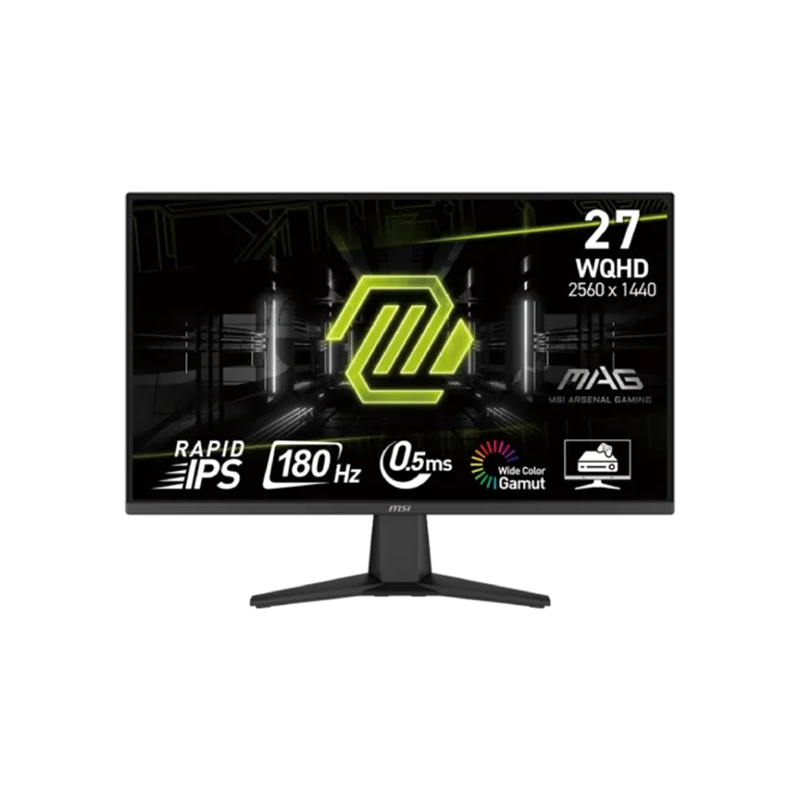
The MSI MAG 275QF is a 27-inch flat gaming display with a Rapid IPS panel, WQHD resolution and refresh capability up to 180Hz. It is intended for PC users who want more desktop detail than Full HD while retaining fast motion when their graphics hardware and connection can supply high frame rates. Its exact base model is MAG 275QF; avoid confusing it with similarly named E20, X32 or curved CQF models, which have different specifications. The catalog title, slug and category already identify this exact product and will stay stable. The existing record’s MPN is missing, so the manufacturer model code is being normalized to MAG 275QF.
Resolution, size and pixel density
The native image is 2560 × 1440 in a 16:9 ratio, displayed across a 27-inch diagonal area. This resolution provides more workspace than 1920 × 1080: spreadsheets can show more columns, editing timelines can expose more detail, and games can render at a sharper pixel grid. It also asks more from the GPU. A graphics card that produces high frame rates at Full HD may deliver fewer frames at WQHD, especially in demanding games. Users can select lower rendering settings or upscaling where available, but image quality depends on the game and source. Set the operating system to native resolution for crisp text, then choose a refresh mode the connection and graphics hardware actually expose.
Panel and viewing
MSI identifies the panel as Rapid IPS, with a flat surface and 178-degree horizontal and vertical viewing-angle ratings. IPS technology is useful when a display is viewed from off center or shared at a desk, although viewing-angle figures do not promise perfectly identical color from every position. The panel uses an anti-glare surface to reduce reflections from ambient light, but placement still matters: avoid a bright window directly behind the viewer. MSI lists 300 cd/m² typical SDR brightness. That is a desktop specification, not an outdoor sunlight rating. The monitor is not touch-enabled according to the source materials. No touchscreen functionality should be inferred from images, software, or a connected device.
Refresh rate and connection choice
The specification states a maximum 180Hz refresh rate and names DisplayPort 1.4 for WQHD up to 180Hz. MSI lists HDMI 2.0b and a maximum WQHD timing of 144Hz over HDMI. This distinction matters: plugging in through HDMI does not automatically provide the headline 180Hz mode. To select 180Hz, connect a capable graphics output to DisplayPort using an appropriate cable, install current graphics drivers and choose the supported 2560 × 1440 mode in the operating system. Refresh rate measures how often the screen can update; it is separate from pixel response time. A game must also render enough frames to make the higher refresh useful.
Response time explained clearly
MSI specifies 0.5ms GtG minimum. Grey-to-grey describes a pixel transition between shades and is not the same as a frame interval, input lag or a guarantee for all transitions. Manufacturers report a minimum under a specific overdrive condition; overly aggressive response settings can create bright or dark trails called overshoot. Test the monitor’s on-screen response modes with the games and refresh rates used most often, and select the mode with the cleanest motion rather than relying on the smallest printed number. The panel’s 180Hz ceiling corresponds to a shorter potential frame interval than conventional 60Hz displays, but smoothness still depends on game frame rate, GPU performance and synchronization settings.
Variable refresh and tearing
MSI names AMD FreeSync and lists an activated range of 48–180Hz. Variable refresh can synchronize the panel update with a compatible graphics source to reduce tearing and uneven pacing. Compatibility depends on the GPU, driver, port, cable, operating system and whether the feature is enabled in both the monitor menu and the graphics control panel. FreeSync branding does not mean every console, game or input automatically operates across the complete range. If frame rate falls outside the supported range, behavior depends on the source and settings. For best results, connect directly to the graphics card, enable the compatible variable-refresh feature and verify the active signal information in the operating system.
HDR and image quality limits
The official product specification calls the display HDR Ready. That wording supports HDR signal compatibility; it does not establish VESA DisplayHDR certification, local dimming zones, a high peak-brightness level or a particular HDR performance tier. MSI lists 300 nits typical brightness and 1000:1 typical static contrast. Those figures describe ordinary panel performance and are not evidence of an enhanced HDR backlight. HDR output can depend on source, operating system, game and display settings. Buyers who prioritize HDR should compare certified brightness and dimming specifications, not assume that HDR Ready guarantees a cinema-like highlight range. This guide uses the manufacturer’s exact claim and avoids presenting it as a certification.
Color depth and gamut
MSI lists 1.07 billion display colors using 10-bit support through an 8-bit panel plus frame-rate control. The official CIE 1976 coverage figures are 82% Adobe RGB, 78% DCI-P3 and 101% sRGB. These are coverage values under the stated measurement standard; they should not be replaced with unrelated retailer percentages or treated as factory calibration data. The product sheet does not promise a colorimeter report, hardware calibration or a professional reference workflow. For photo and design work, select a suitable color profile, check the application color-management behavior and calibrate the actual unit if color accuracy is critical. For general gaming and media, the listed gamut gives a more useful description than an unsupported phrase such as professional-grade accuracy.
Ports, audio and connected devices
The rear connection set comprises two HDMI 2.0b inputs, one DisplayPort 1.4 and one 3.5mm headphone output. MSI’s specification does not list USB data ports, a USB hub, or integrated speakers. Plan audio accordingly: speakers can connect to the PC or console, while compatible source audio may pass through the monitor’s headphone jack. The two HDMI inputs are useful for keeping multiple sources attached, but each source still follows its supported resolution and refresh timing. DisplayPort is the specified route for the maximum 180Hz WQHD mode. Check connector location, cable clearance and the devices you plan to use before mounting the display close to a wall.
Stand, dimensions and mounting
The supplied stand supports tilt from -5 to 20 degrees. The official specification does not list height adjustment, swivel or pivot, so users needing those movements should use a suitable monitor arm. MSI specifies a 100 × 100mm VESA pattern and a Kensington lock slot. With stand, the monitor measures 613.3 × 220.1 × 454.6mm; without stand it measures 613.3 × 57.9 × 360.7mm. Net weight is 3.95kg with stand and 3.57kg without. MSI also lists WW carton dimensions of 684 × 129 × 463mm and outer carton of 704 × 149 × 498mm. Shipping providers may use different package measurements, so confirm the actual local carton before arranging freight or a desk fit.
Power, package and warranty
MSI lists power input at 100–240V AC, 50/60Hz and identifies a power cable. The catalog does not establish the exact contents of a Bangladesh retail box, adapter arrangement, serial-region suffix or importer. Do not assume that an online image confirms what will ship. Inspect the sealed package and check the included cable and local documentation with the seller. A Bangladesh retailer listing advertises a three-year warranty, but that is that seller’s current offer and does not verify BiponiBD stock, an authorized distributor, a particular unit or dead-pixel coverage. Confirm the invoice, warranty provider, start date, service location and exclusions before purchase. The catalog’s BDT 33,500 is a saved catalog value; other stores show separate prices that may change.
Setup and practical checklist
Place the screen at a comfortable viewing distance, with the top edge near eye level, and angle it to limit reflections. Attach the supplied stand or a weight-rated 100 × 100mm mount. Connect DisplayPort when targeting 2560 × 1440 at 180Hz; use HDMI for sources whose maximum 1440p timing is 144Hz. In the operating system, select native resolution and the intended supported refresh rate. Enable FreeSync in the on-screen menu and compatible graphics settings if desired. Adjust overdrive carefully, checking for inverse ghosting. Select SDR or HDR output based on the application and actual visual result rather than expecting HDR certification. Connect external speakers or headphones as needed. Keep the vents clear, use a stable power connection and retain the invoice and packaging for warranty or transport.
Gaming modes and on-screen controls
MSI lists Console Mode with WQHD 120Hz support and HDMI CEC. CEC can coordinate supported HDMI devices, but exact control depends on the connected console, cable, firmware and selected output mode. The monitor specification also names AI Vision, Night Vision, Smart Crosshair, Optix Scope and MPRT Sync. These are image and aiming aids available through the monitor controls; their usefulness varies by game, environment and personal preference. MPRT Sync is a strobing technique and is distinct from the 0.5ms GtG minimum. Strobing may reduce perceived motion blur but can change brightness and may not operate with every variable-refresh or timing combination. Anti-Flicker and Less Blue Light are listed eye-comfort features, but comfort is individual and does not replace breaks or appropriate room lighting.
Power and installation details
This model uses an internal power-supply board and a standard AC power cable, rather than a separate external charging brick. MSI lists 100–240V AC at 50/60Hz, allowing the rated input range to suit local mains when paired with the correct grounded connection. Keep the cable accessible and avoid strain when arranging the tilt stand or VESA arm. The product sheet lists a Kensington lock slot, a five-way OSD joystick and a three-side frameless design. These details can help with multi-display layouts and menu navigation, but do not change the panel’s measured brightness or color characteristics. Verify the delivered regional power-cord type and included accessories with the seller.
Choosing the right model
The MAG 275QF suits buyers who value WQHD workspace, a fast refresh option and IPS viewing angles. It is less suitable for someone who needs built-in speakers, a USB hub, extensive stand ergonomics, touch input, high-certification HDR or guaranteed 180Hz over HDMI. Compare similarly named models carefully: suffixes such as E20 and X32 identify distinct products, and model-specific refresh rates, contrast, ports and color coverage differ. Check the rear label and invoice to ensure the received unit is MAG 275QF. Confirm that the graphics card can render the games and software at the chosen resolution. This balanced checklist helps distinguish manufacturer specifications from local seller promises and keeps decisions tied to the exact monitor rather than a nearby variant.