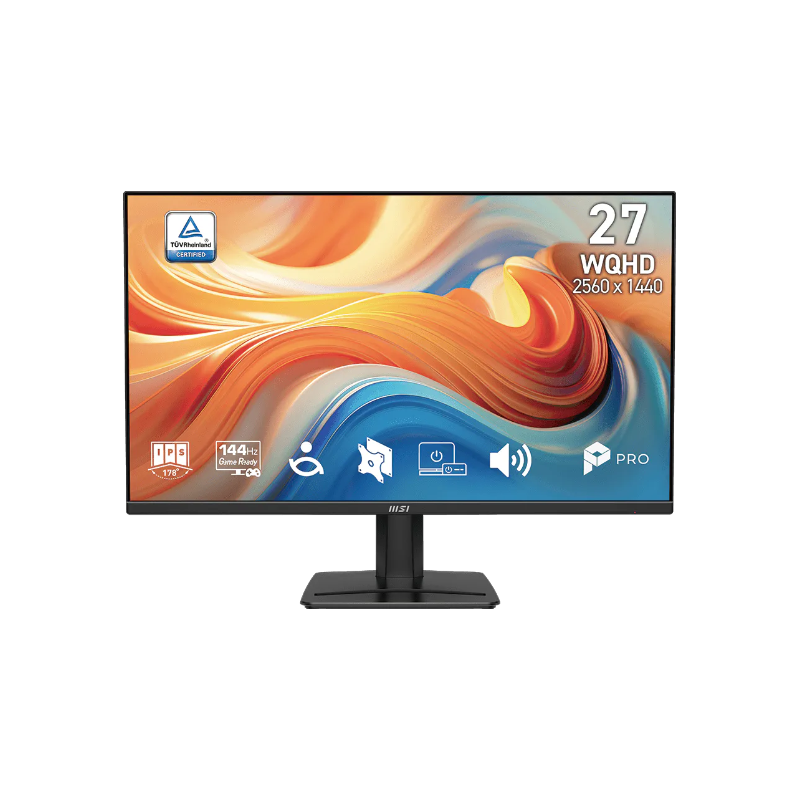
MSI PRO MP275Q E14 27-inch WQHD 144Hz IPS Monitor: Bangladesh Buying Guide
Model identity and naming
The exact display in this catalog is the MSI PRO MP275Q E14, a 27-inch WQHD IPS business monitor with a 144Hz refresh rate. Check the complete E14 suffix on the carton and the MSI part number when comparing offers. The base PRO MP275Q is a different 100Hz version. MSI’s official regional specification sheets list part numbers that vary by sales region: the Indonesia sheet lists 9S6-3PF2CM-003, while another official regional page lists 9S6-3PF2CM-013. Local product references and the catalog-linked EAN support the -003 variant for this listing; verify the label on the delivered carton. Avoid mixing specifications from the 100Hz base model or white MP275QW into this record.
Resolution, workspace and pixel density
The flat 27-inch IPS panel has a native resolution of 2560 × 1440 (WQHD), with 0.2331mm pixel pitch and roughly 109 pixels per inch. This provides more desktop area than Full HD and keeps text and interface details defined at typical desk distances. Windows may use display scaling to make small text comfortable; the native resolution remains 2560 × 1440. The wide 16:9 shape suits side-by-side documents, spreadsheets, browser tabs and editing timelines. Check that the computer’s graphics output supports WQHD at the desired refresh rate and select the native resolution in the operating system after connecting the display.
144Hz motion and response settings
The E14 refreshes at up to 144Hz, so compatible content can update more frequently than on a 60Hz screen. MSI specifies 1ms MPRT and 4ms GtG; these are different response-time measurements, and 1ms MPRT is a blur-reduction figure rather than a 1ms GtG panel response. Adaptive-Sync covers a 48–144Hz variable-refresh range according to MSI’s specifications. Actual smoothness depends on the graphics card, game and selected mode. Use the on-screen display and graphics settings to choose refresh and sync options. A high refresh rate cannot make a game render extra frames by itself.
Color, contrast and HDR Ready
MSI lists 300 cd/m² SDR brightness, 1500:1 static contrast, 16.7 million displayed colors, 10-bit processing via 8-bit plus FRC, and 115% sRGB color coverage using the CIE 1976 measurement. Gamut percentages depend on the measurement standard and do not guarantee color accuracy for every task. The display is described as HDR Ready; MSI’s specification does not identify VESA DisplayHDR certification. Treat this as HDR signal support with the panel’s stated SDR brightness, rather than assuming high-end HDR performance or local dimming. For color-sensitive work, use a calibrated workflow and the intended color profile.
Connections and supported refresh
The rear inputs include two HDMI 2.0b ports, one DisplayPort 1.2a port and a 3.5mm headphone output. MSI lists a 144Hz vertical range and supports the native WQHD mode; select 2560 × 1440 and 144Hz in the computer display menu, then confirm the cable and source support the mode. HDCP 2.3 is listed for HDMI and DisplayPort. The monitor has no USB-C display input or USB hub, so a USB-C laptop needs a suitable video adapter or dock connected to HDMI or DisplayPort. Check which cables are included with the seller’s package before ordering.
Speakers, controls and desk conveniences
Two integrated 2W speakers provide basic audio for calls, notifications and videos. The rear 3.5mm jack can connect headphones or powered speakers. MSI’s Eye-Q Check tools are available through the on-screen controls and include visual check patterns and a posture guide. The base includes a small accessory groove suitable for a phone or pen, while a cable clip on the stand helps route the display and power leads. These conveniences keep a desk tidy, though the speakers are not a replacement for a dedicated sound system and the accessory groove is not a charging dock.
Eye care and viewing comfort
MSI lists its EyesErgo technologies, including Anti-Flicker and Less Blue Light, and the matte anti-glare surface reduces distracting reflections. Eye-Q Check provides on-screen checks such as an Amsler grid, an astigmatism pattern and a posture guide. These are reminders and visual tools, not medical screening or treatment. Adjust brightness to the room, position the top of the display near eye level, and take breaks during long work periods. Reduced blue-light and warmer color settings can change how colors appear, so switch them off when judging color-critical content.
Stand, mounting and physical fit
The included stand supports tilt from -5° to +20°; it does not provide height adjustment, swivel or portrait pivot. A standard 100 × 100mm VESA pattern supports a compatible arm or wall mount. MSI lists assembled dimensions of 613.54 × 206.8 × 456.47mm and a net weight of 4.05kg with stand; without the stand the panel is 613.54 × 51.57 × 361.52mm and 3.53kg. The official outer carton is 70.8 × 14.8 × 48cm with 6.42kg gross weight. Use carton figures for shipping estimates and assembled figures for desk planning.
Power and daily setup
The PRO MP275Q E14 uses an internal power board and accepts 100–240V AC at 50/60Hz. MSI lists 26W on-mode consumption, 0.5W standby and 0.3W off mode. Connect the supplied power cord directly to the monitor; there is no external adapter brick. Once connected, choose the monitor input, set native WQHD resolution and select 144Hz in the operating system. Enable Adaptive-Sync when supported by the graphics source. If the display stays at a lower refresh rate, check the selected output, cable, graphics driver and display settings before assuming the panel is faulty.
Compare the closely named MSI models
The standard PRO MP275Q is a separate 100Hz WQHD monitor with different contrast and color-coverage figures. The PRO MP275Q E14 is the 144Hz revision. PRO MP275QW is a white 100Hz sibling, while MP275 and MP275 E2 names refer to different Full HD revisions and connections. MSI MAG 275QF is a gaming-series WQHD monitor with a higher advertised refresh rate and different feature priorities. Match the entire model string and part number rather than comparing only “MP275Q.” A difference in suffix can mean a different refresh ceiling, panel specification or regional package.
Bangladesh price and warranty
Bangladesh sellers advertise three-year warranty coverage for this model. At the review date, several listings were around ৳25,700–৳28,000, while Apple Gadgets’ catalog-linked listing was ৳31,000; the catalog variant price of ৳31,000 remains unchanged. Retail prices, promotions, stock and payment conditions change, so confirm the current checkout amount and warranty provider directly with the seller. Ask whether the invoice and original carton are required for a claim, how dead-pixel cases are handled, and whether service is through an authorized distributor. Keep the serial number and invoice after purchase.
Who this monitor may suit
This display can suit office users who want detailed WQHD workspace and smoother 144Hz motion, and casual gamers who prefer a professional design with integrated speakers. Its 27-inch size, Adaptive-Sync, eye-care features and VESA mounting make it adaptable to a home office or study desk. It may be less suitable for a buyer who needs an adjustable stand, USB-C docking, a USB hub, high-brightness HDR or very strong audio. Compare the cost of an arm or dock if those features matter. Decide based on the ports and ergonomics of the actual computer setup.
Before ordering and first setup
Confirm that the product label says PRO MP275Q E14 and compare the regional part number on the carton with the seller’s invoice. Check the three-year warranty terms, return window, included power and video cables, and current price. On arrival, inspect the panel and accessories before discarding the carton. Connect the computer using HDMI or DisplayPort, set 2560 × 1440 at 144Hz, and test speakers, headphone output, Adaptive-Sync and the OSD controls. If using a monitor arm, confirm 100 × 100mm VESA compatibility and safe support for the panel. Keep purchase documentation for service.