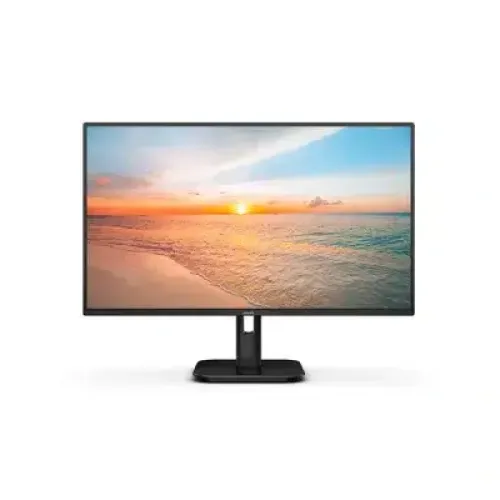
Philips 24E1N2300A 23.8-inch Full HD 120Hz IPS Monitor
Display and image quality
The Philips 24E1N2300A is a 23.8-inch viewable (60.5 cm) Full HD monitor commonly described as a 24-inch class display. It uses an IPS LCD panel with W-LED backlighting, a 1920 × 1080 native resolution and a 16:9 aspect ratio. Philips lists a 0.2745 mm pixel pitch and approximately 93 pixels per inch. The anti-glare surface helps reduce reflections from room lighting, while the 178-degree horizontal and vertical viewing angles help keep the image viewable from off-centre positions. This model is designed as a versatile work, study and home monitor; it should not be confused with similarly named Philips 1000 Series models that use VGA or standard DisplayPort instead of the USB-C docking connection on this 2000 Series model.
Full HD 120Hz refresh
The display supports a maximum refresh rate of 120Hz at 1920 × 1080. Philips documentation gives a vertical refresh range of 48–120Hz and a horizontal scan range of 30–140kHz. The HDMI 1.4 input and USB-C DisplayPort Alt Mode input are both listed for Full HD operation up to 120Hz in Philips regional specification material. A 120Hz signal can display up to twice as many refreshes per second as a 60Hz signal, which can make pointer movement and supported game motion appear smoother. The graphics device, cable, operating system and selected display mode must all support the desired refresh rate. The panel remains Full HD; 120Hz does not change its pixel resolution.
GtG and MPRT response figures
Philips identifies the panel response as 4ms Gray-to-Gray (GtG) and also advertises 1ms MPRT (Moving Picture Response Time). These are different measurements and must not be presented as interchangeable. MPRT describes perceived motion-picture persistence and Philips associates the mode with motion-blur reduction; it is not a guarantee that every pixel transition completes in one millisecond. Using a blur-reduction mode may change the appearance or brightness of the image. Buyers comparing response specifications should check the measurement method and settings rather than comparing an unqualified “1ms” label with another screen’s GtG figure.
Brightness, contrast and color
Philips lists typical brightness of 300 cd/m² and a typical static contrast ratio of 1500:1. The specification supports 16.7 million displayed colors using 6-bit plus FRC, rather than native 8-bit panel depth. Philips product material for regional variants quotes approximate coverage figures of 102.66% sRGB, 89.36% NTSC and 81.39% DCI-P3; these are gamut area/coverage claims from the product brief and are not a factory calibration report. The monitor supports an sRGB color mode, but no per-unit color accuracy certificate is stated here. The product is a standard SDR display; no HDR input or VESA DisplayHDR certification is listed for this model.
Adaptive-Sync and eye comfort
The monitor supports Adaptive-Sync for compatible sources, with the listed vertical range of 48–120Hz. This can help reduce tearing when the source frame rate varies within the supported range. Philips does not market this model as NVIDIA G-SYNC Certified or AMD FreeSync Premium certified, so the former catalog “G-Sync Support: Yes” and “Free Sync Support: Yes” flags should be replaced by the precise Adaptive-Sync description. Compatibility can depend on the graphics hardware, port, driver and settings. Philips also lists Flicker-Free, LowBlue Mode, hardware SoftBlue technology and EasyRead. These are comfort and image-mode features; they do not guarantee that every user will avoid eye fatigue during long sessions.
USB-C docking and power delivery
The USB-C upstream port is the key productivity feature. It carries DisplayPort video, connects the monitor’s USB hub and supports USB Power Delivery 3.0 up to 65W for a compatible laptop. The maximum charging power is conditional on the computer and cable supporting the required USB-C power profile; it is not a promise that every laptop will charge at 65W. A USB-C connection may let a compatible laptop use one cable for display, USB accessories and charging. Philips lists two downstream USB-A ports using USB 3.2 Gen 1 at up to 5Gbps, with one port supporting BC 1.2 fast charging up to 7.5W. The USB-A ports are hub ports; peripherals need the upstream USB-C connection to the computer.
HDMI, USB hub and audio
For other sources, the display has one HDMI 1.4 input with HDCP 1.4. It also has a 3.5 mm audio output for headphones or external speakers. The built-in stereo speakers are rated at 2W per channel (2 × 2W). HDMI and USB-C input selection is made from the monitor controls. A USB-C laptop must support DisplayPort Alt Mode to send video through the monitor, and the appropriate cable is required. HDMI does not provide the USB hub connection or laptop charging described for USB-C. The connector list should therefore distinguish the video inputs, hub downstream ports and audio output instead of compressing them into a vague “HDMI/USB/audio” line.
Stand, mounting and dimensions
The supplied stand provides tilt adjustment from -5° to +20°. Philips lists VESA 100 × 100 mm mounting support for a compatible arm or wall bracket. The stand is not listed with height, swivel or pivot adjustment, so a buyer needing those movements should plan on a compatible monitor arm. Philips regional product material gives approximate dimensions of 542 × 417 × 180 mm with the stand and 542 × 316 × 45 mm without it; listed weight is approximately 3.41 kg with stand, 3.06 kg without stand and 5.26 kg packaged. The exact carton, plugs and included cables can vary by regional suffix and distribution bundle.
Power, cables and box contents
The published power figures specify an external AC/DC adapter rated for 100–240V AC, 50/60Hz. Typical on-mode power is about 18W in Philips materials; standby and off-mode values are lower. The display is intended for standard mains power in Bangladesh, but the included cord and plug are regional bundle items. The product brief lists an HDMI cable, USB-C to USB-C cable and power cable with a regional-variation qualification. Confirm the exact box contents with the retailer before purchase, especially if a USB-C cable is needed for video, hub access and charging. A computer may require a separately purchased USB-C cable that supports video and the needed power rating if one is not included in the local carton.
Bangladesh warranty and regional model
Bangladesh retailers list a three-year warranty for this monitor, but warranty provider and terms are seller-specific. Keep the invoice, serial number and warranty card, and ask the retailer which authorized service provider handles the unit and what proof is required for a claim. The regional model suffix is important: Philips offers 24E1N2300A variants such as /71 and /75 on regional sites. Bangladesh sellers commonly shorten the listing to 24E1N2300A, while Ryans includes /75. The suffix identifies a regional product package and regulatory market; available evidence does not establish the exact suffix on this specific BiponiBD unit. Do not promise that every suffix has the same power cord, included cable bundle or local warranty.
Bangladesh price and product identity
Current Bangladesh listings reviewed for the 24E1N2300A were approximately ৳22,199–৳23,200, with Star Tech and TechLand listing around ৳22,299 and Ryans around ৳23,200; promotions and stock can change. The current BiponiBD variant price is ৳22,299 and is retained. The catalog title and slug are also retained to avoid breaking existing product links. The title should identify Philips, exact model 24E1N2300A, 23.8-inch viewable/24-inch class, Full HD, 120Hz, IPS and USB-C where length permits. Use a clean model name and manufacturer part number instead of copying the full marketing title into those fields.
Image details and product comparison
The two catalog images were reviewed. The first shows the monitor from the front with a beach scene on the screen; the second shows a three-quarter view of the monitor and its stand. Image alternative text should describe what is visibly present without adding unsupported connectivity or feature claims. The product description can explain the display, refresh rate, USB-C docking and charging, USB hub, audio, stand, compatibility conditions, market warranty and regional bundle caveats in distinct sections. This makes the listing useful to buyers and search engines while keeping verified specifications separate from seller-dependent details. Avoid copying 24E1N1100A or 24E1N1200A ports and refresh data into this page: those are separate products, not suffix variations of 24E1N2300A.