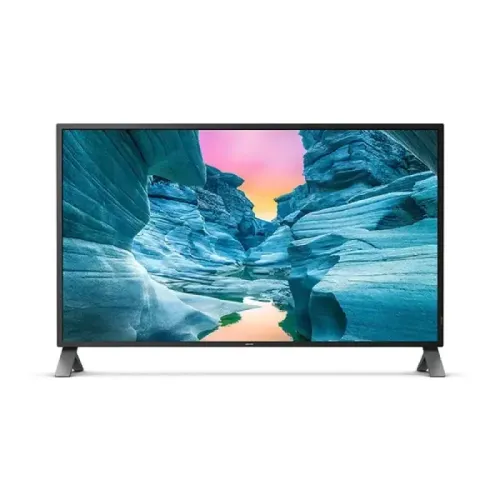
Philips Brilliance 438P1/75 is a 43-inch-class 4K UHD IPS LED monitor with a 42.51-inch viewable panel, MultiView for multiple sources, USB hub and Flicker-free technology. Explore Philips 438P1 monitor specifications, features, Bangladesh price references and warranty details on BiponiBD.
Model identity and intended use
Philips Brilliance 438P1/75 is a large-format 4K UHD monitor in Philips’ P-line. The manufacturer identifies a 43-inch class screen with 42.51 inches (108 cm) of viewable diagonal area and 3840 × 2160 resolution. The catalog title calls it a 43-inch IPS LED monitor, which is a useful shopper-facing description, while the exact model code is 438P1/75. This is a monitor with multiple computer and video inputs, not a television product listing. Its scale and MultiView options make it relevant to office desks, monitoring stations and users who need several sources visible at once. Check the suffix on the box and invoice so the purchased regional product matches 438P1/75.
Large 4K workspace
A 4K UHD grid contains 3840 horizontal by 2160 vertical pixels, giving a 16:9 desktop substantial room for windows, spreadsheets, dashboards and detailed media. On a screen this large, operating-system scaling and viewing distance influence how comfortable text appears. Users may choose larger interface scaling while retaining the benefit of high-resolution detail. Source content also matters: low-resolution video or a computer output configured below 4K will not become native 4K simply because it is displayed on this panel. Connect a compatible graphics output and select the intended resolution and refresh rate in the operating system. For a desk installation, measure both the display width and the distance from the seated position before buying.
IPS panel and shared viewing
Philips describes this model as an IPS LED display. IPS panels are commonly selected for their broad viewing angles, and the listed viewing-angle figure is 178 degrees horizontally and vertically. This can help when more than one person looks at a dashboard or when the user shifts position across a wide desk. Viewing-angle figures describe the range at which an image remains viewable; they do not mean brightness and color remain perfectly unchanged at every angle. Room reflections, screen brightness and content settings still affect the experience. The large 42.51-inch viewable area is especially helpful when content must be read from several positions, but it also makes central viewing distance and glare control important.
MultiView for several sources
MultiView is one of the model’s defining capabilities. Philips says the 4K panel can show up to four systems, each in Full HD, on one screen. Picture-by-Picture can arrange separate sources side by side for monitoring, control-room tasks or comparing documents. Picture-in-Picture can keep a smaller source visible while the main computer remains in focus. A multi-source layout divides the physical display among feeds, so each window occupies only a portion of the panel. This feature is useful when the connected computers or devices are configured correctly and the operator has a reason to watch them at the same time. Review the manual for supported layout combinations and input restrictions before planning a workstation around four simultaneous feeds.
Inputs, hub and devices
Bangladesh exact-model listings commonly identify two HDMI and two DisplayPort inputs, and the product is described with USB hub functionality. The variety can reduce repeated cable swaps when a workstation includes a desktop, laptop dock, signage player or other source. Actual input labels and supported modes should be checked on the unit and regional documentation. A USB hub requires the appropriate upstream connection to a host; connecting a video cable alone may not make peripherals available to that computer. Choose certified cables appropriate for 4K at the selected refresh rate and verify that each source supports the target resolution. Keep cable routing accessible because a large display can make rear connectors harder to reach after installation.
Audio and everyday convenience
Philips product materials include integrated speakers, while Bangladesh listings commonly specify 5W × 2. Built-in audio can handle system alerts, video calls and routine playback without a separate speaker set. Speaker power ratings do not describe every aspect of sound quality, and users who need fuller bass, louder playback or precise audio monitoring may prefer dedicated speakers or headphones. Local specification tables also describe an audio input/output connection. Check the actual control and port layout for the regional product before relying on a particular routing setup. Integrated audio is best viewed as a convenience for general desk use rather than as a replacement for a purpose-built sound system.
Comfort features and mounting
Philips describes Flicker-free technology as a solution that regulates brightness to reduce flicker from LED backlighting. This is a display feature, not a medical claim; comfortable use also depends on room lighting, breaks, brightness and viewing distance. The monitor supports VESA mounting according to Philips and retailer materials; local listings specify a 100 × 100mm pattern. Before fitting an arm or wall bracket, verify the exact VESA pattern and the mount’s load rating against the monitor’s manual and packaging. A 43-inch-class screen has greater leverage than a small office display, so the supporting desk or wall structure matters. Keep enough clearance for ventilation and access to ports.
Resolution, refresh and gaming expectations
The saved catalog and local seller specifications identify a 75Hz refresh rate. This is a higher ceiling than a basic 60Hz office screen but is still far below high-refresh esports monitors. 4K gaming also places a significant rendering demand on a graphics card. Buyers should check the GPU output, game performance, port capability and cable standard together rather than assuming that every connection will deliver every advertised mode. For productivity, media and multi-source monitoring, the combination of a large 4K canvas and 75Hz may be more relevant than maximum frame rate. For fast competitive games, compare measured response behavior and refresh options from gaming-focused models.
Price snapshot and local purchase checks
Google search results viewed in Chrome on 6 November 2026 showed Bangladesh exact-model offers around ৳72,700 at Price Quality Service, ৳73,000 at Star Tech and Ryans, and ৳77,500 at Global Brand. These results help establish a rough market reference, but the underlying retailer pages were not opened directly during this review. Search snippets can be stale and do not prove checkout availability. The variant’s catalog MSRP of ৳73,000 is retained. Before purchase, open the retailer listing, verify the exact 438P1/75 code, confirm stock and delivery, and compare the final payable amount. Ask whether the seller’s price includes official local warranty or another coverage arrangement.
Warranty and what to confirm
The existing BiponiBD product record states a three-year warranty, and retailer search snippets also describe a three-year warranty for the model. This review preserves the catalog warranty rather than changing its commercial promise. A warranty duration alone does not establish who will service the unit, whether coverage is official, where a claim is filed or how exclusions work. Ask the seller to state the provider and coverage in writing, check the invoice and retain packaging until the unit has been inspected. Large monitors should be checked for panel damage, dead-pixel terms and included accessories soon after delivery, following the seller’s published return window.
Who may choose the 438P1
This model may suit people who need a large 4K desktop, a shared monitoring screen or the ability to view multiple connected sources. It can be useful for office dashboards, broad spreadsheets, reference material, control stations and high-resolution video. It may be less suitable for shallow desks, small rooms or buyers whose main goal is high-frame-rate gaming. The large panel also makes ergonomic placement important: set the display so the full screen can be viewed without constant head movement, and keep scaling and text size comfortable. Compare screen size, connection requirements, MultiView layout, sound needs, warranty provider and delivered price before choosing.
Setup checklist
Before installation, confirm that the stand or mounting arm safely supports the display, the desk has enough width and depth, and the viewing distance is appropriate. Connect the computer using an HDMI or DisplayPort cable suited to the source and desired 4K mode. Select 3840 × 2160 in display settings where the source supports it. If using MultiView, connect each source, choose a supported layout and test that every feed appears at its intended resolution. If peripherals are connected to the monitor’s USB hub, attach its upstream link to the host computer. Adjust brightness for the room and check for reflections. Save the model number and warranty documentation with the purchase receipt.
Key features
- 42.51-inch (108 cm) viewable 43-inch-class IPS LED display with 3840 × 2160 4K UHD resolution.
- 16:9 widescreen panel with 178° horizontal and vertical viewing angles for broad shared viewing.
- Philips MultiView supports up to four Full HD sources on one screen using Picture-by-Picture, plus Picture-in-Picture modes.
- Two HDMI and two DisplayPort inputs are listed by Bangladesh exact-model retailers; confirm regional port labeling before purchase.
- Integrated USB 3.2 hub supports connecting compatible peripherals through the display.
- Built-in stereo speakers are specified by Philips product materials; local listings describe 5W × 2 audio.
- Flicker-free technology regulates backlight brightness to reduce screen flicker during viewing.
- VESA mount compatibility supports flexible desk-arm or wall-mount arrangements.
- 4K UHD provides 8.29 million pixels for detailed desktop content and high-resolution video.
- Philips P-line model 438P1/75; regional suffix /75 identifies the documented variant.
- HDCP 2.2 support is listed by local product specification data for compatible protected sources.
- The existing BiponiBD catalog record and local listings state a three-year warranty; confirm provider and local terms.
Pros
- Large 42.51-inch viewable 4K panel can display detailed content and several windows across one desktop.
- MultiView makes it possible to view multiple computer or video sources together, including up to four Full HD views.
- IPS viewing angles support collaboration and viewing away from the exact center of the screen.
- Multiple HDMI and DisplayPort connections reduce the need to unplug sources, subject to the exact regional configuration.
- USB hub and built-in speakers can simplify an everyday office or control-room setup.
- Flicker-free technology and VESA compatibility offer practical setup and viewing options.
Considerations
- A 43-inch-class monitor needs a deep, wide desk and a viewing distance that suits a very large screen.
- 4K output at 3840 × 2160 requires a compatible graphics source, cable and input mode; older devices may not drive the maximum mode.
- MultiView divides the panel among sources, so each individual view has less screen area than full-screen use.
- A 75Hz panel is designed for productivity and general viewing rather than high-refresh competitive gaming.
- IPS contrast is lower than many VA panels in dark-room scenes; room lighting and content affect perceived blacks.
- Search-result price and stock data are snapshots; retailer pages were not opened directly in this review.
Frequently asked questions
What is the Philips Brilliance 438P1 price in Bangladesh?
Chrome search results on 6 November 2026 showed exact-model listings between ৳72,700 and ৳77,500, with Star Tech and Ryans around ৳73,000. These are search-result snapshots rather than direct checkout verification. Confirm the live listing, stock, delivery charge and final checkout amount before ordering.
What is the exact screen size?
Philips identifies the 438P1/75 as a 43-inch-class display with a 42.51-inch (108 cm) diagonal viewable area. Retailers may round it to 43 inches.
What resolution does the 438P1 support?
Philips product information lists 3840 × 2160 pixels, known as 4K UHD. Use an output source, cable and input mode that support the desired 4K refresh setting.
Is the Philips 438P1 an IPS monitor?
Yes. Philips product materials and Bangladesh retailer specifications identify IPS display technology, which offers wide viewing angles.
What does MultiView do?
Philips says MultiView can show up to four systems, each at Full HD, on one 4K screen. Picture-by-Picture is useful for simultaneous sources, while Picture-in-Picture places one source in a smaller inset.
Can I connect multiple computers?
The model is designed for multiple sources and MultiView. Retailer specifications list two HDMI and two DisplayPort inputs. Confirm the precise regional input set and choose compatible cables for each host.
Does the monitor have USB ports?
Philips materials and local product listings describe a USB hub, including USB 3.2 connectivity. The hub connects peripherals to a host; confirm the host USB uplink cable and port arrangement in the manual.
Does it have built-in speakers?
Philips product materials describe integrated audio, and Bangladesh listings commonly state 5W × 2 speakers. Confirm the regional variant’s speaker rating and available audio output before purchase.
Is it suitable for competitive gaming?
The catalog and seller specifications identify a 75Hz refresh rate. It can display games, but buyers prioritizing high-refresh competitive play should compare monitors designed for substantially higher refresh rates and lower latency.
Can it be wall mounted?
The product information lists VESA compatibility, and local listings specify 100 × 100mm. Check the manual, mount rating and fastener requirements before installation.
What warranty is included in Bangladesh?
The existing BiponiBD record says three years. A warranty term in a catalog does not identify the service provider or exclusions, so confirm whether local coverage is official or seller-backed and retain the invoice.
Why do retailer prices differ?
Promotions, stock, import channel, warranty coverage and seller updates can change the listed amount. Treat the ৳72,700–৳77,500 range observed in search results as a dated reference, not a guaranteed price.