Samsung LS27D300GAW 27-inch 100Hz Full HD IPS Monitor: Complete Bangladesh Buyer's Guide
Model identity and who this monitor is for
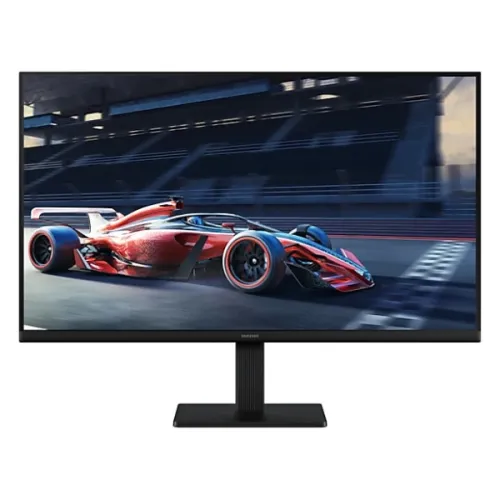
The Samsung LS27D300GAW is a 27-inch flat Full HD IPS monitor in Samsung's Essential Monitor S3, also called S30GD. Samsung's South Asian full factory listing appends a regional suffix (LS27D300GAWXXL); the base catalog model and manufacturer part number should remain LS27D300GAW. The chassis/manual family code S27D300G is a related identifier, not the catalog MPN. Existing product ID, product number, title, slug, Active status, Monitors category, Samsung brand, default variant ID/name/SKU, ৳23,500 selling price and all five image IDs and URLs are retained. The monitor suits office work, online classes, browsing, spreadsheets, video and casual gaming. Its main selling points are a spacious 27-inch IPS screen, 100Hz over HDMI and familiar HDMI plus analog VGA connections.
27-inch Full HD IPS panel, pixel density and viewing distance
The flat LED-backlit IPS panel measures 27 inches (68.6 cm) diagonally, with an active image area of 597.888 × 336.312 mm. It displays Full HD at 1920 × 1080 in a 16:9 format. The pixel pitch is about 0.3114 mm and density about 81.6 pixels per inch. Text and interface elements appear larger at native scaling than on a 24-inch Full HD display, which some readers prefer for long documents and accounting sheets. The trade-off is visible pixel structure at close viewing distances and less fine detail than a 27-inch QHD screen. For comfortable text and spreadsheets, position the display at roughly an arm's length and use the operating system's text-size controls if needed. IPS technology and 178-degree horizontal and vertical viewing angles help keep colors consistent when the viewer is not directly centered.
100Hz refresh rate, HDMI versus VGA limits and response time
The maximum refresh rate is 100Hz, but the input connection matters. Samsung's S27D300G standard-signal table lists 1920 × 1080 at 100Hz on HDMI; the analog D-Sub/VGA input is limited to 75Hz at Full HD, with 60Hz as the optimum mode. Connect by HDMI and select 100Hz in the computer's display settings to use the full rate. A 100Hz panel can make scrolling, pointer movement and casual games feel smoother than a conventional 60Hz screen. Samsung rates response at 5ms gray-to-gray. Response time describes pixel transitions; it is not a promise that every moving scene will be free of blur.
Color, brightness, contrast and the limits of this display
Samsung specifies 250 cd/m² typical brightness and 200 cd/m² minimum, with a 1000:1 typical static contrast ratio. The panel supports up to 16.7 million colors, listed as 8-bit through 6-bit plus frame-rate control, and a 72% NTSC gamut figure under CIE 1931. The matte anti-glare surface reduces reflections from windows and ceiling lights, though it cannot remove glare from direct sunlight. These figures describe a standard office-class SDR screen; buyers doing print-critical design or wide-gamut color grading should use a calibrated wide-gamut monitor instead. Set brightness for the room rather than leaving it at maximum in a dim workspace.
Game Mode, adaptive sync and HDR expectations
The display includes Samsung Game Mode, which adjusts image settings for games, but it is not a variable-refresh monitor. Samsung's specification lists FreeSync and G-Sync as unsupported; there is no VESA Adaptive-Sync/VRR, so refresh does not dynamically follow the graphics card's frame rate. HDR is also not supported. A steady frame-rate cap or conventional V-Sync can help reduce tearing, but the catalog should not describe this model as FreeSync, G-Sync or HDR capable. It is suitable for relaxed 100Hz gaming when the connected PC can deliver stable frame rates, but competitive players who need VRR or faster response should compare gaming-focused models.
HDMI, VGA, audio and connected-device planning
The rear panel provides one HDMI 1.4 digital input and one 15-pin D-Sub (VGA) analog input. HDMI supports HDCP 1.4 and is the connection to use for 1080p at 100Hz. VGA is useful for an older desktop or equipment that has no HDMI, with the 75Hz Full HD limit described above. The monitor has no built-in speakers and no 3.5mm headphone/audio-out jack. HDMI video therefore does not create an audio output on this display; connect headphones or speakers to the computer, console, or a separate HDMI audio extractor. There is no DisplayPort, USB hub, USB-C, DVI or second HDMI input.
Eye comfort and everyday productivity
For reading and office work, Samsung lists Eye Saver Mode and Flicker-Free technology. Eye Saver Mode changes the image toward a warmer, lower-blue-light appearance; Flicker-Free reduces visible backlight flicker. These features can improve comfort for some people during long sessions, but they do not guarantee prevention of eye fatigue. Take regular breaks, keep the screen clean, adjust text size, and balance screen brightness against the room. The 3-sided borderless styling leaves narrow top and side borders for a cleaner single-monitor workspace or a visually tighter multi-monitor arrangement. The monitor's flat panel is easier to use for tables, documents and straight-line content than a strongly curved display.
Stand adjustment, VESA mounting and physical dimensions
The included stand supports tilt only: approximately -2° (±2°) to +21° (±2°). It does not provide height adjustment, swivel or pivot. The rear has a standard 100 × 100 mm VESA mounting pattern, so a compatible arm or wall bracket can add those adjustments; verify the mount's load rating and screw fit before installation. A Kensington security slot is present for a compatible cable lock. With the stand, the monitor measures 612.7 × 470.0 × 200.4 mm and weighs about 2.9 kg. Without the stand, it measures 612.7 × 360.9 × 36.2 mm and weighs about 2.4 kg. The narrow panel edge and rear cable clip are visible in the catalog gallery.
Power, energy use and box contents
Samsung lists a maximum active power consumption of 25W, less than 0.5W in DPMS standby and less than 0.3W when off. The monitor uses an external 14V DC adapter with AC 100–240V, 50/60Hz input. Listed package dimensions are 710 × 100 × 403 mm and package weight is 4.3 kg. The retail box is listed with the display, detachable stand parts, external adapter and power cable, HDMI cable and setup documentation; exact accessories can vary with regional batch, so check the sealed box and invoice.
Samsung model comparisons and buying guidance in Bangladesh
In Bangladesh, reviewed retailer listings were around ৳23,200–৳23,500, with Star Tech at ৳23,500 and other sellers close to that range. The existing catalog price of ৳23,500 is retained rather than overwritten by a competitor's changing offer. Bangladesh listings advertise a three-year warranty; confirm that the invoice identifies the authorized seller, the warranty provider and the serial-number eligibility. This flat IPS S3 should not be confused with Samsung's curved LS27D366GAW, which has a VA panel and different features, or the older 75Hz LS27C310EAW. The higher-tier LS27D400GAW S4 adds different ports and ergonomic features. Before buying, decide whether 27-inch Full HD pixel density, tilt-only stand and no audio/VRR meet the desk setup; choose a QHD or height-adjustable display if those are priorities.