BiponiBD
All categories

All categories

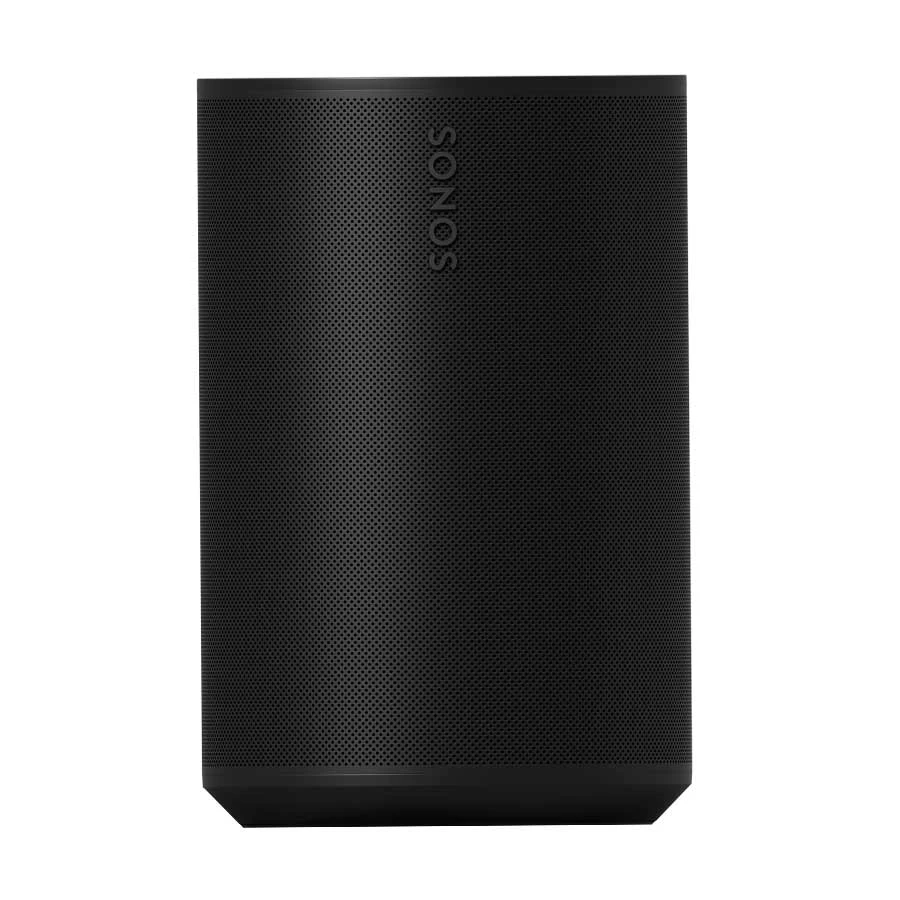
Sonos Era 100 SL Black speaker front grilleNew condition

Headphones & Speakers

Sonos Era 100 SL Smart Wireless Stereo Speaker

Sonos · Era 100 SL Smart Wireless Stereo Speaker

Sonos Era 100 SL Black powered home speaker with Wi-Fi, Bluetooth 5.3 and AirPlay 2. Sonos app and Wi-Fi are required for setup; USB-C line-in needs a separate adapter.

Compare now

Price unavailable

Price range updating

No verified price is available yet. Store offers will appear when merchants publish them.

Buying options
  • Brand: Sonos
  • Model: Era 100 SL
  • Power: 100–240 V AC, 50/60 Hz, internal power supply
  • Controls: Top capacitive touch controls, rear Bluetooth button and Sonos app

Compare store prices

Buying options

0 live offers

No live offers for this variant

Offers will appear when merchants publish them.

Observed price history

Loading history…

Product story

Details worth knowing

Sonos Era 100 SL Black for a listening room

Sonos Era 100 SL in Black is a powered home speaker for music, podcasts and other audio. Sonos identifies the SL edition as a version without built-in voice control or microphones. It is a separate model from Era 100, so a buyer seeking a microphone or voice assistant should check the exact product name. The manufacturer lists three Class-D amplifiers, two angled tweeters and one midwoofer. One Era 100 SL can be used on its own, while a second compatible speaker can create a wider stereo pair. A single box should not be mistaken for two separate speakers.

Setup and wireless playback

Sonos says Era 100 SL must be set up over Wi-Fi using the Sonos app on a compatible phone or tablet before audio playback. After setup, Bluetooth 5.3 can stream audio from a compatible device; the rear Bluetooth button starts pairing and the status light signals readiness. On Wi-Fi, the Sonos app provides source selection, grouping and equalizer settings. Compatible Apple devices can use AirPlay 2. Network features depend on the home router and the chosen audio service, so check those requirements before planning placement.

Line-in and physical connections

The USB-C socket is for optional analog line-in or Ethernet through separately sold Sonos accessories. To connect a suitable 3.5 mm audio source, use a Sonos Line-In Adapter or Combo Adapter and the needed cable. A turntable may also need a built-in or separate phono preamp. A Sonos Combo Adapter plus Ethernet cable enables wired networking. Sonos says this USB-C connection is not the speaker's power input and must not be used to charge other devices. It also warns that this line-in route is not intended as a direct TV connection. Era 100 SL runs from its included AC power cable and a nearby outlet.

Controls, placement and purchase details

The top capacitive touch surface controls playback, volume and track changes. Trueplay room tuning is available with compatible iOS devices according to Sonos; this microphone-free SL model should not be described as providing microphone-based voice tuning. Sonos suggests leaving about 2.5 cm of space behind the unit near a wall or shelf. The 182.5 × 120 × 130.5 mm body is humidity resistant, but Sonos explicitly says it is neither waterproof nor water resistant. The manufacturer lists the speaker, a 2 m power cable and setup documentation in the package; line-in and Ethernet adapters are extra. Confirm the Black finish, plug and local warranty terms with the Bangladesh seller. The Sonos Era 100 SL guide gives the connection and control steps.

Features

  • Microphone-free Era 100 SL edition with no built-in voice control
  • Two angled tweeters, one midwoofer and three Class-D amplifiers
  • Wi-Fi, Bluetooth 5.3 after app setup, and compatible AirPlay 2
  • Optional USB-C line-in and Ethernet through separately sold adapters
  • Top touch controls and iOS-compatible Trueplay tuning

Pros

  • Microphone-free design suits buyers who do not want built-in voice pickup
  • Several supported playback paths after the required Wi-Fi app setup
  • Touch controls and app equalizer provide two ways to adjust playback
  • A second compatible Era 100 SL can create a stereo pair

Cons

  • Initial Wi-Fi setup through the Sonos app is required
  • Line-in and Ethernet require separately sold Sonos adapters
  • AC outlet is required; USB-C does not power the speaker
  • Humidity resistance does not make the unit waterproof

Helpful answers

Frequently asked questions

Product-specific answers maintained with the catalog information.

Does Era 100 SL Black have built-in voice control?

No. Sonos describes Era 100 SL as a microphone-free model without built-in voice control.

Can I set up Era 100 SL using Bluetooth alone?

No. Sonos says the speaker must first be set up on Wi-Fi using the Sonos app.

Does the USB-C port charge or power Era 100 SL?

No. The speaker uses AC mains power. USB-C supports line-in or Ethernet through separately sold compatible Sonos adapters.

Can I connect a turntable to Era 100 SL?

A suitable analog source can connect through a Sonos Line-In or Combo Adapter and a 3.5 mm cable. The turntable may also need a phono preamp.

Customer community

Reviews & product Q&A

No ratings yet

Choose your own rating. BiponiBD never adds a default rating or review.

Be the first customer to review an available Store offer.
Back to all products

Become a merchant

Put your store in front of ready buyers.

Join BiponiBD, publish accurate offers and start free.

Start free