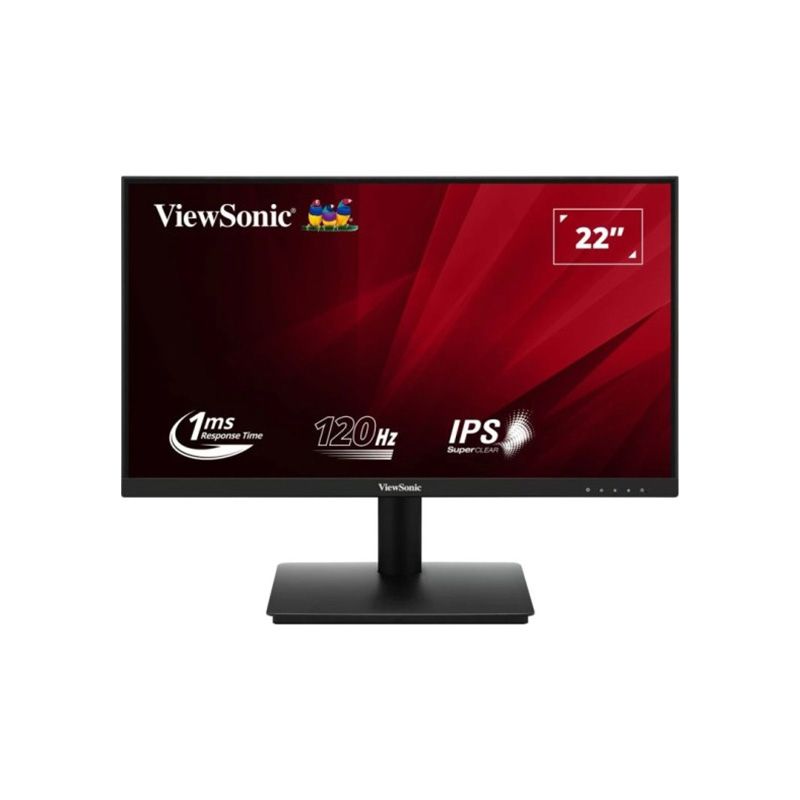
ViewSonic VA221A-H 22-inch Class 120Hz Full HD IPS Monitor
A compact IPS display with a 120Hz mode
The ViewSonic VA221A-H is a 22-inch class Full HD monitor with a 21.5-inch viewable area. It uses a SuperClear IPS panel with 1920 × 1080 resolution and a 16:9 aspect ratio. ViewSonic lists a refresh rate of 120Hz and 1ms MPRT response time. Its official timing table specifies HDMI vertical frequency from 48Hz to 120Hz and VGA from 48Hz to 75Hz, so the HDMI input is required to reach the listed 120Hz maximum. This distinction matters when choosing a cable or connecting an older computer. The product is suitable for everyday work and entertainment while also offering a smoother refresh ceiling than basic 60Hz displays. It should not be represented as a high-resolution QHD or 4K screen.
Panel, resolution and viewing area
The 21.5-inch viewable IPS area shows a Full HD 1920 × 1080 image. ViewSonic rounds the product into the 22-inch size class, while the specifications clarify the smaller active viewing area. IPS technology and 178-degree horizontal and vertical viewing angles support viewing from different positions. The flat 16:9 format is compatible with common desktop layouts and video content. At this size, Full HD offers a compact pixel density and suits desks where monitor width is limited. People who need more simultaneous spreadsheet columns or large creative canvases may prefer a larger screen or a higher-resolution model. Actual text size and sharpness also depend on operating-system scaling and viewing distance.
Brightness, contrast and color
ViewSonic lists typical brightness of 250 cd/m² and typical static contrast of 1000:1. It also lists a 50M:1 dynamic contrast ratio, which is a separate dynamic figure and should not be described as the panel’s native static contrast. The product specification includes 16.7 million colors, 8-bit color using 6-bit plus FRC, typical 104% sRGB and 72% NTSC. These figures describe manufacturer-rated color space coverage; they do not make the monitor a certified professional reference display. Color output can vary with picture mode, calibration, source device and panel unit. For color-critical work, users should review their application, target color space and calibration needs before choosing a monitor.
Understanding 1ms MPRT
The published 1ms number is MPRT, or moving picture response time. It is a motion-related metric and differs from gray-to-gray (GtG) pixel response. MPRT is often associated with a motion blur reduction mode and can depend on settings, refresh rate, brightness and test method. It must not be rewritten as 1ms GtG. ViewSonic lists 120Hz and 1ms MPRT for VA221A-H; buyers should check the on-screen menu and manual for available motion settings and any restrictions. For a fair comparison with another display, compare the same type of response-time measurement and the refresh rate supported through the intended video input.
HDMI and VGA connections
The official page identifies one HDMI 1.4 port and one VGA input. HDMI carries the digital video signal and supports up to 120Hz within ViewSonic’s timing table. VGA is an analog input with a listed 48–75Hz vertical range. There is no DisplayPort, USB-C or USB hub specified. The single HDMI socket is enough for a primary computer or console but users with multiple HDMI sources may need to reconnect devices or use a compatible switch. Before buying, check the output ports on a laptop, desktop or dock and select an adapter only if needed. Cable quality and source settings can affect the available resolution and refresh options.
Eye ProTech and ViewMode
ViewSonic lists Eye ProTech features, including Flicker-Free and Low Blue Light, along with a set of ViewMode presets. These options let a user adjust the picture presentation for different tasks and preferences. Low Blue Light settings may alter color appearance, while ViewMode selections can change brightness, contrast or tone. The monitor’s product page describes viewing comfort and variable refresh. These are product functions rather than medical claims: comfort varies by person, room lighting, viewing distance and session length. Adjust the screen to a comfortable position, take regular breaks and choose settings appropriate to the task.
Design, stand and mounting
The monitor uses a black cabinet and three-side borderless visual design, according to ViewSonic’s product information. Its control panel is on the display, with HDMI, VGA and power connections at the back. ViewSonic specifies a 75 × 75 mm VESA pattern. Bangladesh retailer specifications report a tilt range around −3° to +20°, but regional pages can differ; verify the supplied stand and exact manual for the unit. Height, swivel and pivot adjustment are not established by the manufacturer data reviewed here. A separate VESA arm can provide different positioning if it supports the product’s weight and uses the right fasteners.
Power adapter and energy figures
The global product sheet describes a DC power input and includes a 12V, 1.0A adapter notation, but several fields in its online technical table are malformed. Bangladesh seller pages identify an external power adapter and report typical consumption around 21W, maximum 23W and power-saving modes. These are seller-published local values and may reflect regional measurement or bundled hardware; confirm the label on the supplied adapter and the included cable before installation. Connect the external adapter to a suitable outlet and keep it ventilated. Do not infer the monitor’s live energy use from a maximum rating, since brightness, mode and image content affect actual draw.
The viewing experience in practical use
At 120Hz through HDMI, scrolling, cursor movement and compatible game output can appear smoother than at 60Hz. This benefit depends on the source device, cable, operating-system configuration and application frame rate. A 120Hz display does not make every game render at 120 frames per second; it can present up to the signal it receives. The IPS panel, 250-nit brightness and Full HD resolution suit general desktop and home use. Competitive players should also consider input lag, variable refresh compatibility and response methodology, which are not fully quantified in the available manufacturer sheet. This page does not promise a specific latency or graphics-card certification.
Dimensions and package verification
Bangladesh seller pages list approximately 493.36 × 385.28 × 206.32 mm and 2.7 kg with stand, with smaller dimensions and weight without the stand. ViewSonic’s global specification page confirms the 22-inch class, 21.5-inch viewable area and 75 × 75 mm mount, but its online dimension and power rows contain corrupted values. For this reason, the catalog labels detailed dimensions and adapter figures as regional seller reports rather than definitive global values. Check the carton or local quick-start guide if desk clearance, shipping weight or wall mounting depends on exact measurements. Package contents and cable inclusion can also vary by region.
Warranty and Bangladesh purchase context
Bangladesh retailer listings commonly show a three-year warranty for the VA221A-H. The precise warranty issuer, service location, panel conditions and proof-of-purchase requirements are set by the local seller or distributor. Keep the invoice, warranty card and original packaging if the seller requires it for service. Price and stock can change; this product description does not treat third-party retailer price as BiponiBD’s live price or claim availability. Check the current product page and seller terms for commercial details. The catalog separates source-backed technical information from local warranty listings and avoids inventing product reviews, ratings or order conditions.
Choosing the right cable and refresh setting
To use the manufacturer-listed 120Hz mode, connect a capable source through HDMI and set the operating system or graphics driver to 1920 × 1080 at 120Hz. The VGA input is listed for vertical frequencies up to 75Hz. If a higher refresh option does not appear, check the source output, selected input, cable, driver and display settings. Do not expect an adapter to guarantee every timing mode; conversion may impose limitations. The monitor’s listed HDMI standard is 1.4, and one HDMI input is available. The product is not specified with multiple HDMI ports, DisplayPort, USB-C or an integrated speaker system.
Strengths and trade-offs
Key strengths are the 120Hz HDMI refresh ceiling, IPS viewing angles, Full HD resolution, 1ms MPRT specification, Eye ProTech features, 75 × 75 mm VESA support and a compact 21.5-inch viewable format. Trade-offs include one HDMI port, VGA’s lower refresh ceiling, the distinction between MPRT and GtG, and incomplete or inconsistent regional power and physical data. The 120Hz mode can be useful for smoother motion, while the compact size may suit smaller desks. Shoppers should match the inputs and ergonomics to their setup and confirm local carton information where the exact adapter or mounting dimensions matter.
Key features
- 22-inch class display with a 21.5-inch viewable IPS area and Full HD 1920 × 1080 resolution.
- 120Hz refresh rate; official input timing lists HDMI vertical frequency up to 120Hz and VGA up to 75Hz.
- 1ms MPRT response time; this is a motion-picture response metric, not 1ms GtG.
- 250 cd/m² typical brightness and 1000:1 typical static contrast; 50M:1 dynamic contrast is a dynamic figure.
- 16:9 IPS panel with 178° horizontal and vertical viewing angles.
- 16.7 million colors; 8-bit (6-bit + FRC), typical 104% sRGB and 72% NTSC.
- One HDMI 1.4 input and one VGA input.
- Eye ProTech Flicker-Free and Low Blue Light; ViewMode display presets.
- 75 × 75 mm VESA mounting, black 3-side borderless design and security-lock slot.
- External DC adapter; local listings advertise a three-year warranty, subject to invoice/provider terms.
Pros
- 120Hz HDMI refresh with IPS viewing angles offers smoother motion than a basic 60Hz office display.
- 1ms MPRT is useful for describing motion clarity when the monitor’s MPRT mode and settings are used.
- One HDMI and one VGA support a modern HDMI source and a legacy VGA device.
- Flicker-Free, Low Blue Light, Eye ProTech and ViewMode presets provide settings for different viewing needs.
- Compact 21.5-inch viewable size, VESA mount and slim-bezel design fit smaller desks and multi-screen arrangements.
Things to consider
- Only one HDMI input is listed; users with several HDMI sources may need a switch.
- VGA supports up to 75Hz in the official timing table; 120Hz is available over HDMI.
- 1ms is MPRT, not GtG; do not compare it directly with GtG response figures without checking test method.
- The 21.5-inch viewable Full HD workspace is compact compared with larger QHD monitors.
- Power adapter and physical dimensions are reported differently among regional seller pages; check the actual carton and adapter label.